Features
Everything Setrik QR does
Setrik QR makes QR codes and barcodes, scans them, and keeps the ones you use close at hand. Here’s every feature, grouped by what you’re trying to do. Each one has its own page with the details, screenshots, and real-life examples.
No ads, no account, no tracking.
Making and scanning QR codes is free. Pro adds print and design tools.

Free to download · For iPhone · Requires iOS 26 or later
Make QR codes (free)
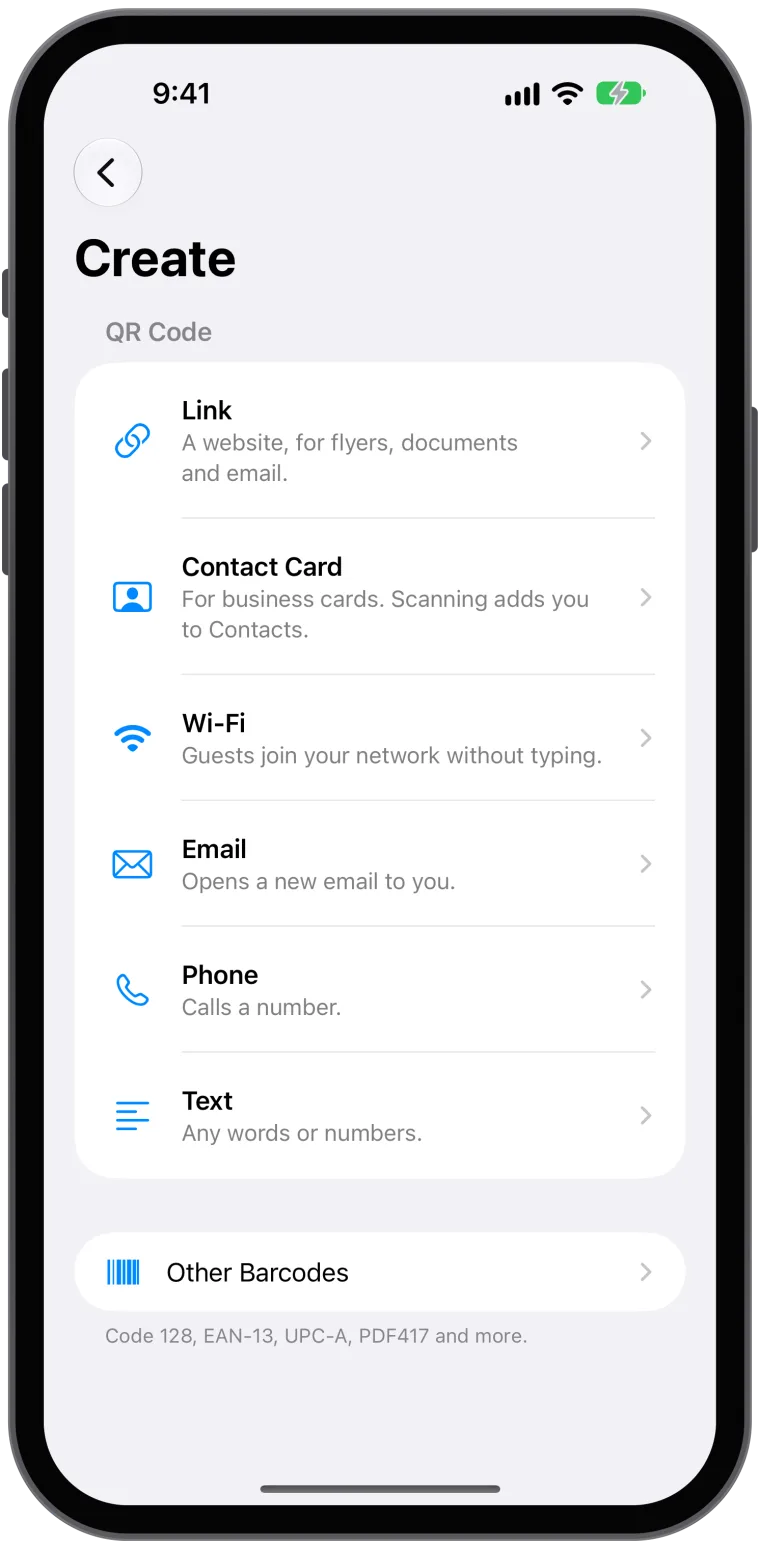
Six kinds of QR codes
Each kind has a simple form, a live preview as you type, and a check that the finished code scans.
Website QR codes
A link to your site, menu, or review page, for flyers and signs.
See website QR codesWi-Fi QR codes
Guests scan to join your network. No more spelling out the password.
See Wi-Fi QR codesContact card QR codes
One scan adds you to someone’s Contacts. Made for business cards.
See contact card QR codesMake barcodes (Pro)
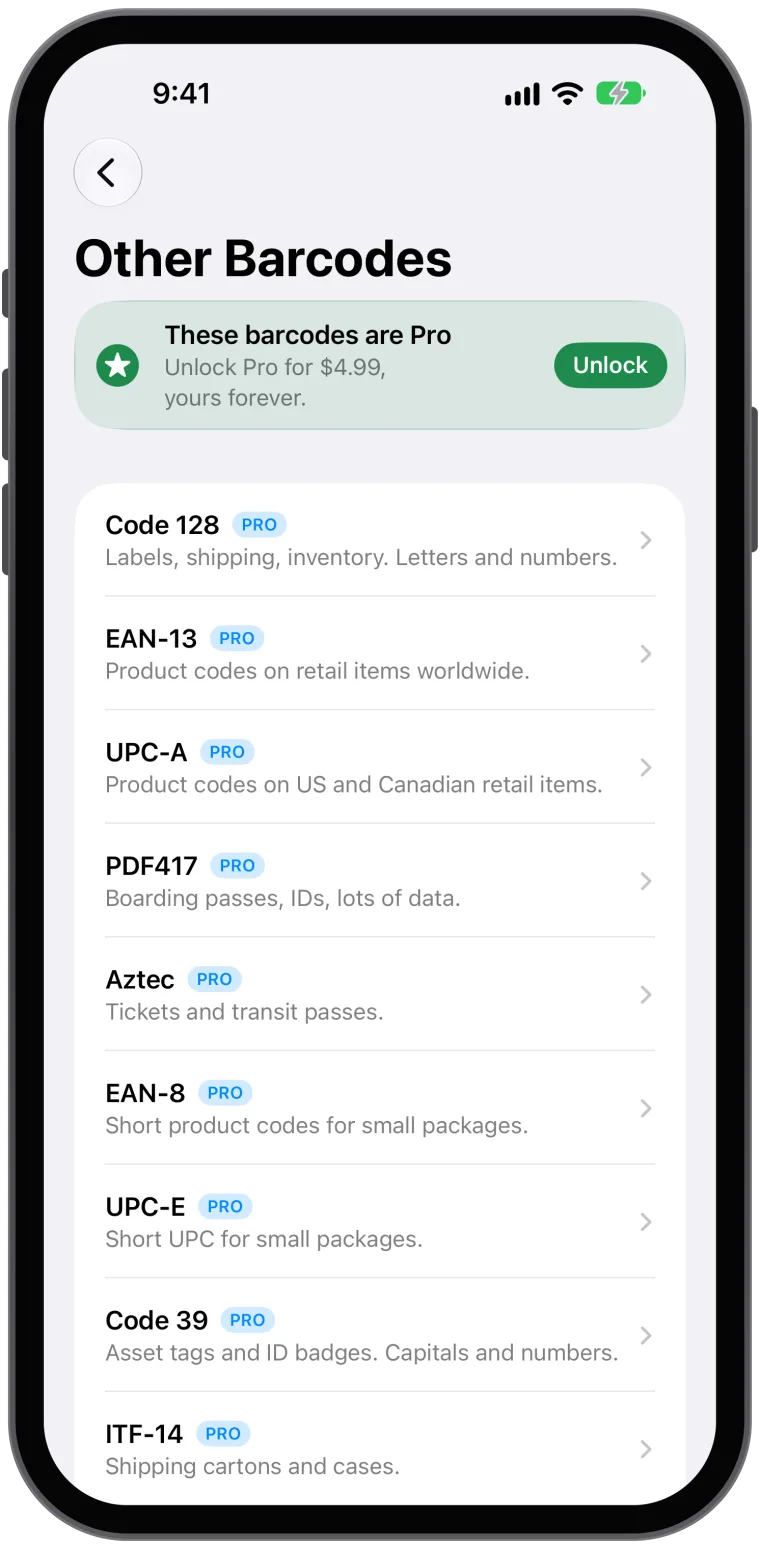
Ten kinds of barcodes, with the check digits added for you
Code 128, EAN-13, UPC-A, PDF417, Aztec, EAN-8, UPC-E, Code 39, ITF-14 and Codabar. Type the value and Setrik QR checks it as you type, adds any check digit, and shows the barcode right away.
For bin labels, asset tags, shipping cartons, tickets, and product barcodes.
Real product numbers for items sold in stores come from GS1; the app draws the barcode.
Scan
Scan any code
The camera scanner is free and unlimited. Pro also reads codes in pictures.
Keep your codes
Keep the codes you use
Everything you scan or make is kept, and the ones you use most are one tap away.
Show Full Screen
Big and bright, with the screen kept awake, for the checkout counter.
See Show Full ScreenPrint and design (Pro)
Print-ready, and made to match your brand
Every code can be shared and saved for free. Pro adds files for print shops and design apps, plus your colors and logo.
Print and export
Share or save any code, or print-ready PDF, SVG and large images with Pro.
See printing and exportColors and logo
Your colors and your logo in the middle, checked so it still scans.
See colors and logoWidgets and shortcuts
Faster than opening the app
Scan from the Home Screen, the Lock Screen, Control Center, or Siri.
Quick Scan and Siri
Open the scanner from the Home Screen, Lock Screen, Control Center, or Siri.
See Quick ScanSaved Code widget
One of your codes right on the Home Screen, ready to scan.
See the Saved Code widgetGood to know
What Setrik QR doesn’t do
We’d rather you know up front, so you can decide if it fits.
No “dynamic” or editable QR codes, and no scan counts. Your codes are plain codes, which is exactly why they never expire.
It scans one code at a time, on purpose. There’s no batch scanning.
It reads Data Matrix codes but can’t make them. Exported barcodes show the bars only, without the numbers printed underneath.
No Apple Wallet passes, no Mac or Android version, and English only.
Questions about the features
Which features are free?
Every kind of QR code, the scanner, sharing and saving codes at standard size, Show Full Screen, iCloud sync, the Quick Scan widget, Control Center, and Siri. Setrik QR Pro adds print-quality files, colors and a logo, the ten barcode types, scanning from a photo, unlimited Saved Codes, full History, and the Saved Code widget. See Setrik QR pricing.
Do I need an account?
No. Setrik QR uses the iCloud account already on your iPhone to sync your codes.
What do I need to run it?
An iPhone with iOS 26 or later. Live camera scanning needs iPhone XS or newer. It also installs on iPad as an iPhone app.
Where do I start?
The Setrik QR getting started guide takes you through your first QR code in about a minute.
QR codes in seconds, no ads
Make a code for your website, business card, or Wi-Fi today. Free to download.