Email QR code generator
A QR code that opens an email to you
An email QR code opens a new message on the scanner’s phone, already addressed to you, with the subject and message filled in. They add their own words and tap Send.
Free to make and share.
Works with the phone’s own mail app.

Free to download · For iPhone · Requires iOS 26 or later
How it works
Make an email QR code
1
Tap Create, then Email
“Opens a new email to you.”
2
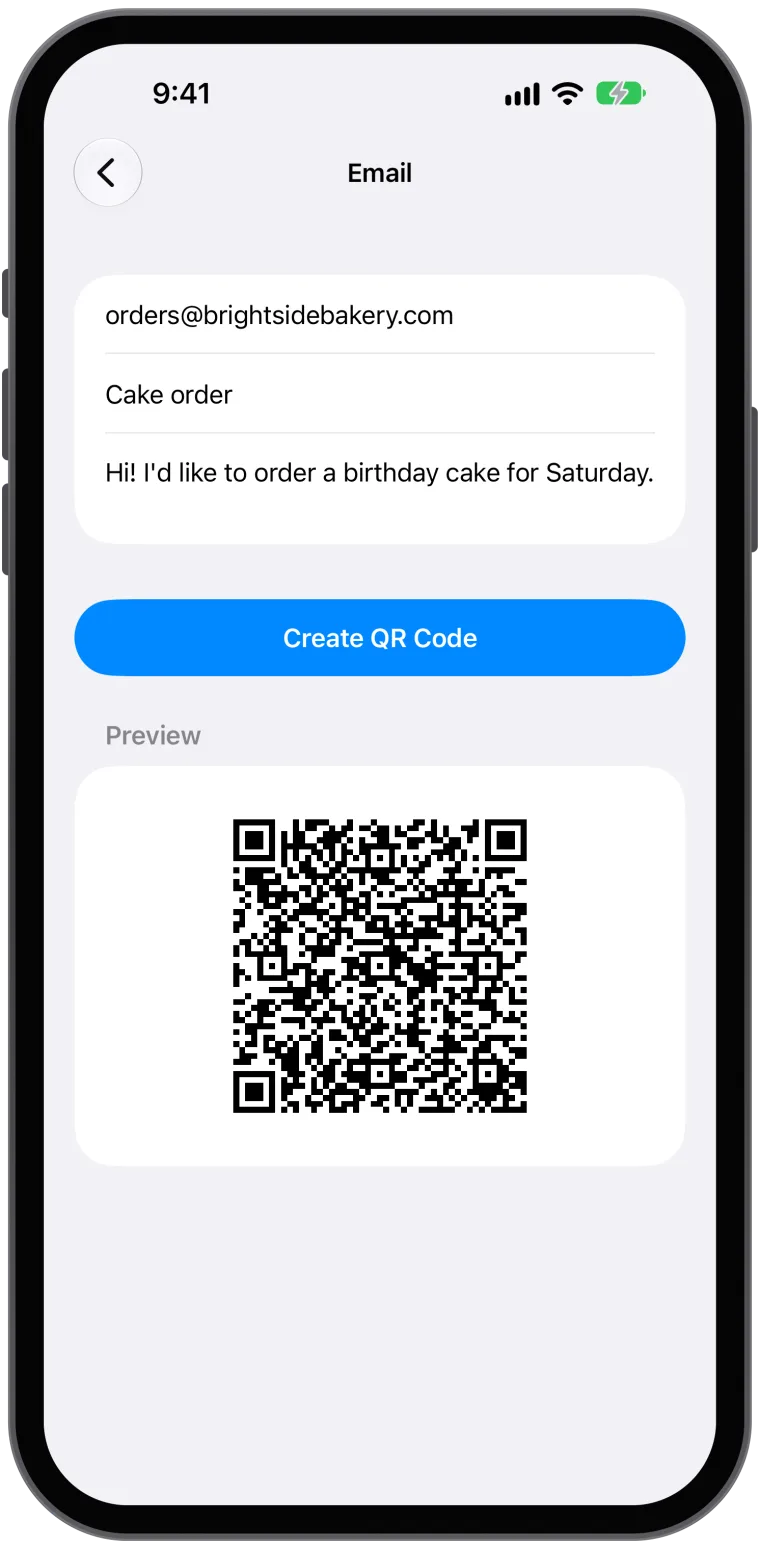
Fill in the email
The address is required. Add a subject and a starting message if you like.
3
Share it
Tap Create QR Code, then share, copy, save, or print it.
Ready to send
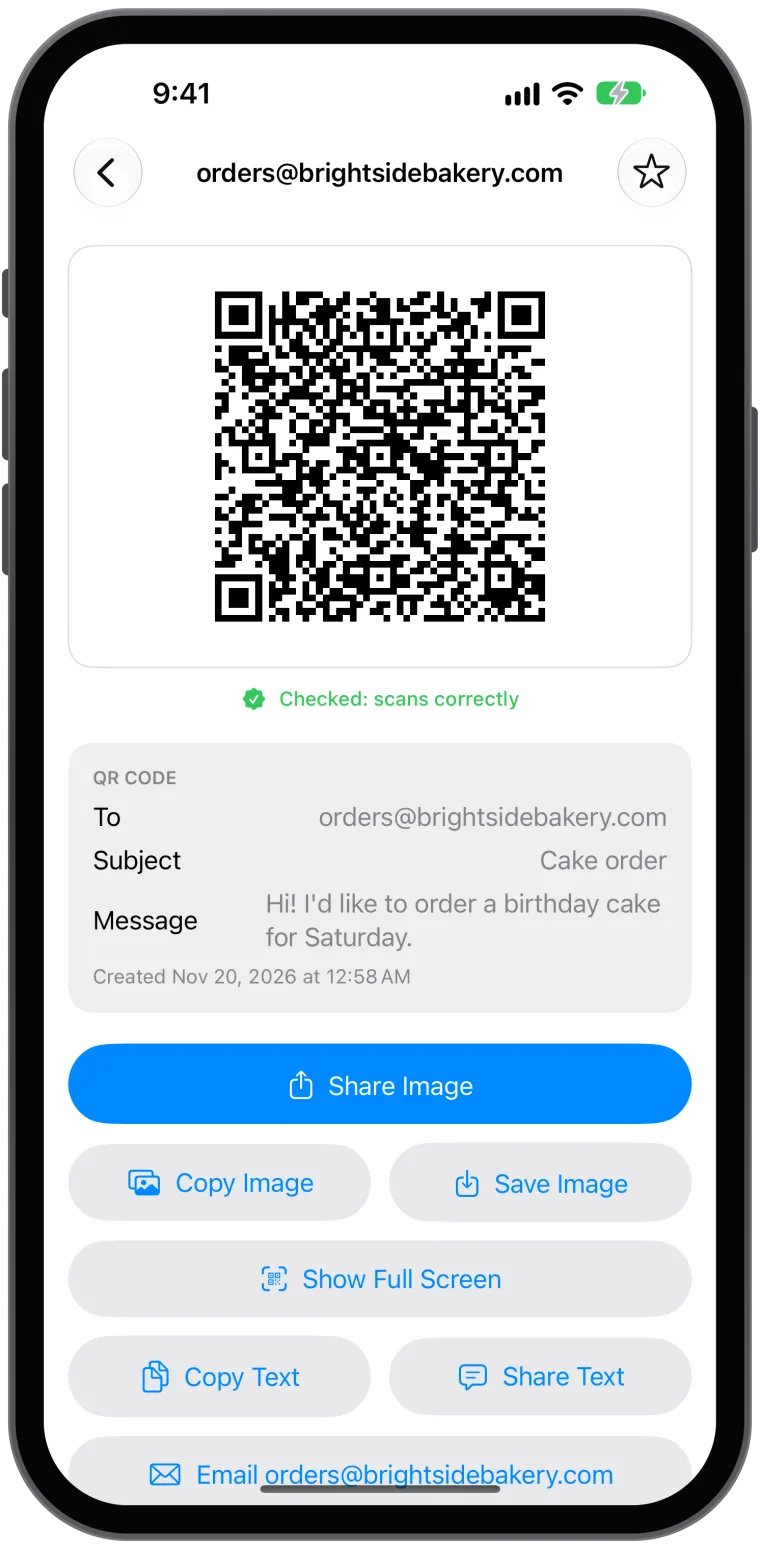
The address, subject, and message, filled in
People don’t have to remember an address or what to write. You decide the subject line, so their emails arrive easy to sort.
To: checked as you type: it needs an @ and a dot, and no spaces.
Subject: like “Feedback for the front desk” or “Order inquiry.”
Message: a starting line, as long as you need, like “Room number:” or “My order number is:”
The finished code shows the To, Subject, and Message, with a button to test it yourself.
Real-life uses
Where an email QR code works well
Anywhere you want a message, with the right subject, without handing out a form.
Feedback desks
“Tell us how we did” cards at a hotel desk, a clinic, or a shop counter.
“Report a problem” stickers
On a vending machine, a shared printer, or a rental bike: the subject says which one.
RSVPs and sign-ups
An invitation or a class flyer where one scan starts the reply.
Orders and quotes
A code on your price list that starts an email with “Quote request” as the subject.
Rentals and buildings
A sticker in the laundry room or by the elevator for maintenance requests.
Classrooms and clubs
A code on a handout so parents can email the teacher with the right subject.
Keep exploring
More of what Setrik QR does
Or see every Setrik QR feature on one page.
Website QR codes
A link to your site, menu, or review page, for flyers and signs.
See website QR codesWi-Fi QR codes
Guests scan to join your network. No more spelling out the password.
See Wi-Fi QR codesContact card QR codes
One scan adds you to someone’s Contacts. Made for business cards.
See contact card QR codesPrint and export
Share or save any code, or print-ready PDF, SVG and large images with Pro.
See printing and exportQuestions about email QR codes
What happens when someone scans it?
Their phone opens its mail app with a new message: your address in To, plus the subject and message you set. They can change anything before they send it.
Does the email send by itself?
No. The person scanning it always taps Send themselves.
Can I leave the subject and message empty?
Yes. Only the email address is required.
Is it free?
Yes. Email QR codes are free to make, share, and save in Setrik QR.
Make an email QR code
The right address and subject, every time. Free to download, no ads.