Print and export
QR code SVG, PDF, and print-ready images
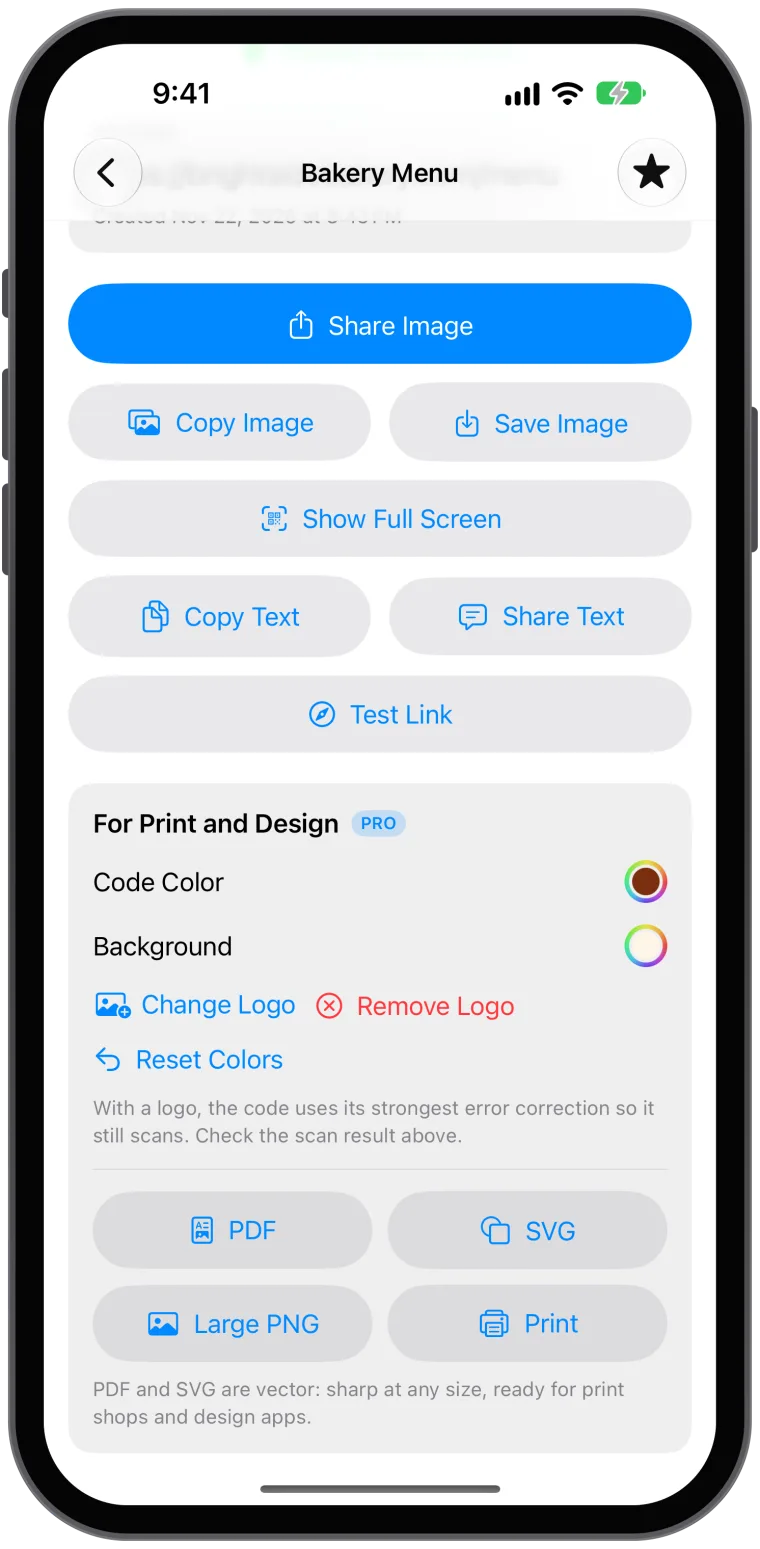
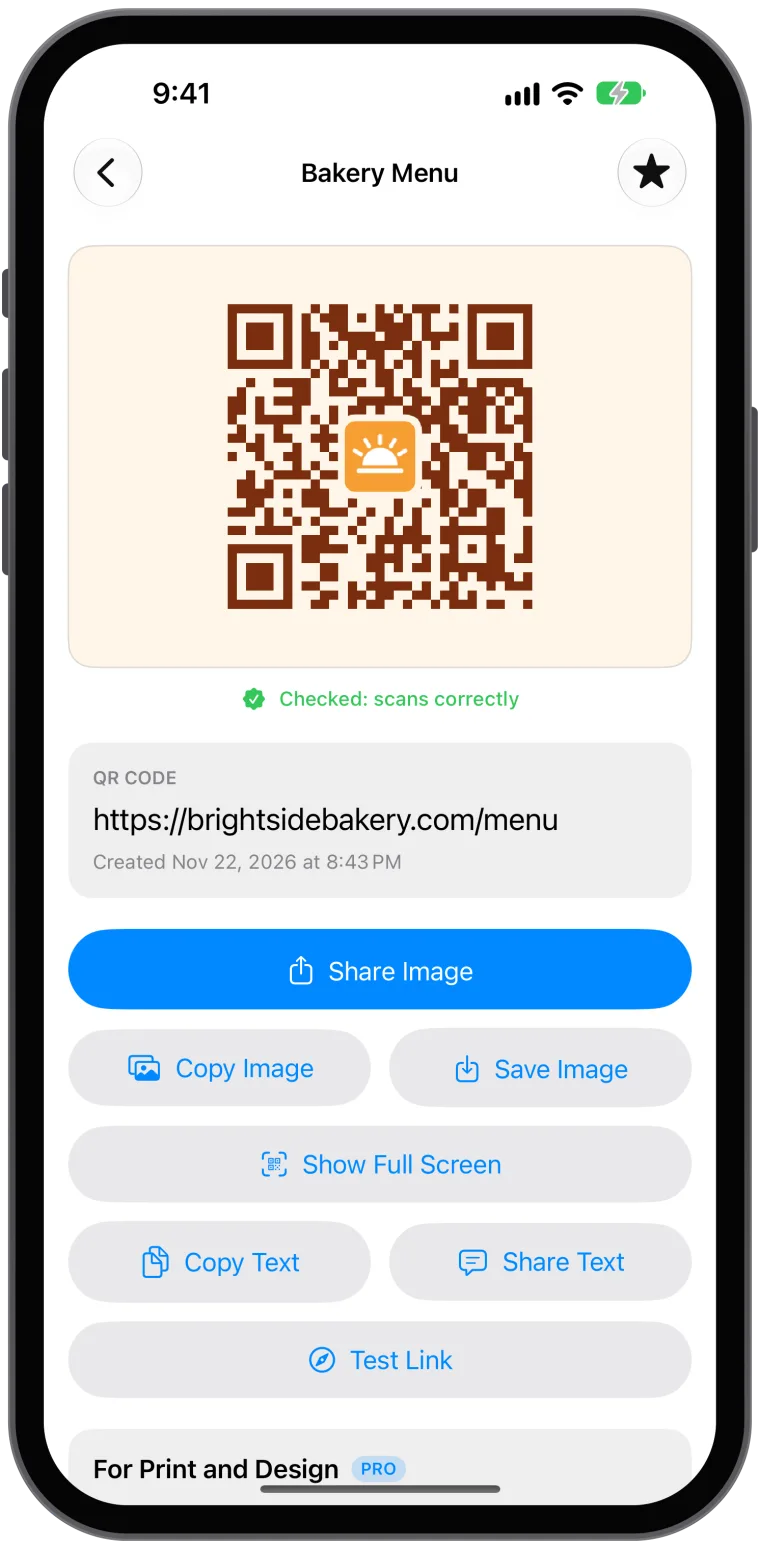
Every code can be shared, copied, and saved for free. When it’s going on a poster, a menu, packaging, or to a print shop, Setrik QR Pro adds vector PDF and SVG files that stay sharp at any size, a 4096-pixel image, and Print.
Free: Share Image, Copy Image, Save Image (1024 pixels).
Pro: PDF, SVG, large PNG, and Print.

Free to download · Pro is a one-time purchase · For iPhone, iOS 26 or later
What you get
Every way to get a code out of the app
Share Image (free)
A 1024-pixel PNG with a clear file name, like “QR Code - brightsidebakery.com.png,” to Mail, Messages, AirDrop, or Files.
Copy Image (free)
Paste straight into Mail, Word, Pages, or Notes.
Save Image (free)
To Photos. The app only adds the image; it can’t see your other photos.
PDF (Pro)
A vector PDF, 3 inches wide, that scales to any size without blur. Ready for print shops.
SVG (Pro)
A vector file for Canva, Illustrator, Affinity, and Figma, with your colors and logo.
Large PNG and Print (Pro)
A sharp image about 4096 pixels wide, and Apple’s print dialog with the vector PDF.
Size guide
How big to print your QR code
The right size depends on how far away people will be when they scan it. The vector PDF and SVG stay sharp at any size, so you can scale them up without blur.
Business cards and labels: at least about 2 cm (0.8 in) across.
Flyers and menus: a little bigger, so it scans from arm’s length.
Posters and window signs: bigger again for people scanning from across the room.
Always test one printed copy with a phone before printing many.
Real-life uses
Where each file fits
Pick the file by where the code is going.
Email and documents
Copy Image and paste into the email, the Word or Pages file, or the slide.
Print shops
Send the PDF: it prints sharp at any size.
Canva and design apps
Use the SVG, so the code stays crisp when you resize it in your design.
Social posts and websites
The 1024-pixel image is plenty for screens; the 4096-pixel PNG for large displays.
Your own printer
Tap Print for labels, table signs, and notices.
Packaging and labels
Vector files for the printer, with your colors and logo built in.
Part of Setrik QR Pro
PDF, SVG, the large PNG, and Print are part of Pro. Sharing, copying, and saving at standard size are free. Pro is a one-time purchase in the app, through Apple: no subscription, nothing renews. See everything Pro includes.
Keep exploring
More of what Setrik QR does
Or see every Setrik QR feature on one page.
Colors and logo
Your colors and your logo in the middle, checked so it still scans.
See colors and logoBarcodes
Code 128, UPC, EAN, PDF417, Aztec and more, with check digits added for you.
See all 10 barcodesSaved Code widget
One of your codes right on the Home Screen, ready to scan.
See the Saved Code widgetWebsite QR codes
A link to your site, menu, or review page, for flyers and signs.
See website QR codesContact card QR codes
One scan adds you to someone’s Contacts. Made for business cards.
See contact card QR codesQuestions about printing QR codes
Can I download a QR code as an SVG?
Yes, with Setrik QR Pro. Open the code, scroll to For Print and Design, and tap SVG. Your colors and logo are included.
What size should I print a QR code?
At least about 2 cm (0.8 in) across for close-up scanning. Go bigger for posters seen from a distance, and test one printed copy first.
Do the files have a watermark?
No. No file from Setrik QR has a watermark, free or Pro.
Will the exported files scan?
Yes. Every export type was tested to scan, including colored codes and codes with a logo.
Print-ready QR codes from your iPhone
PDF and SVG that stay sharp at any size. Free to download; print files come with Pro.