QR code with logo
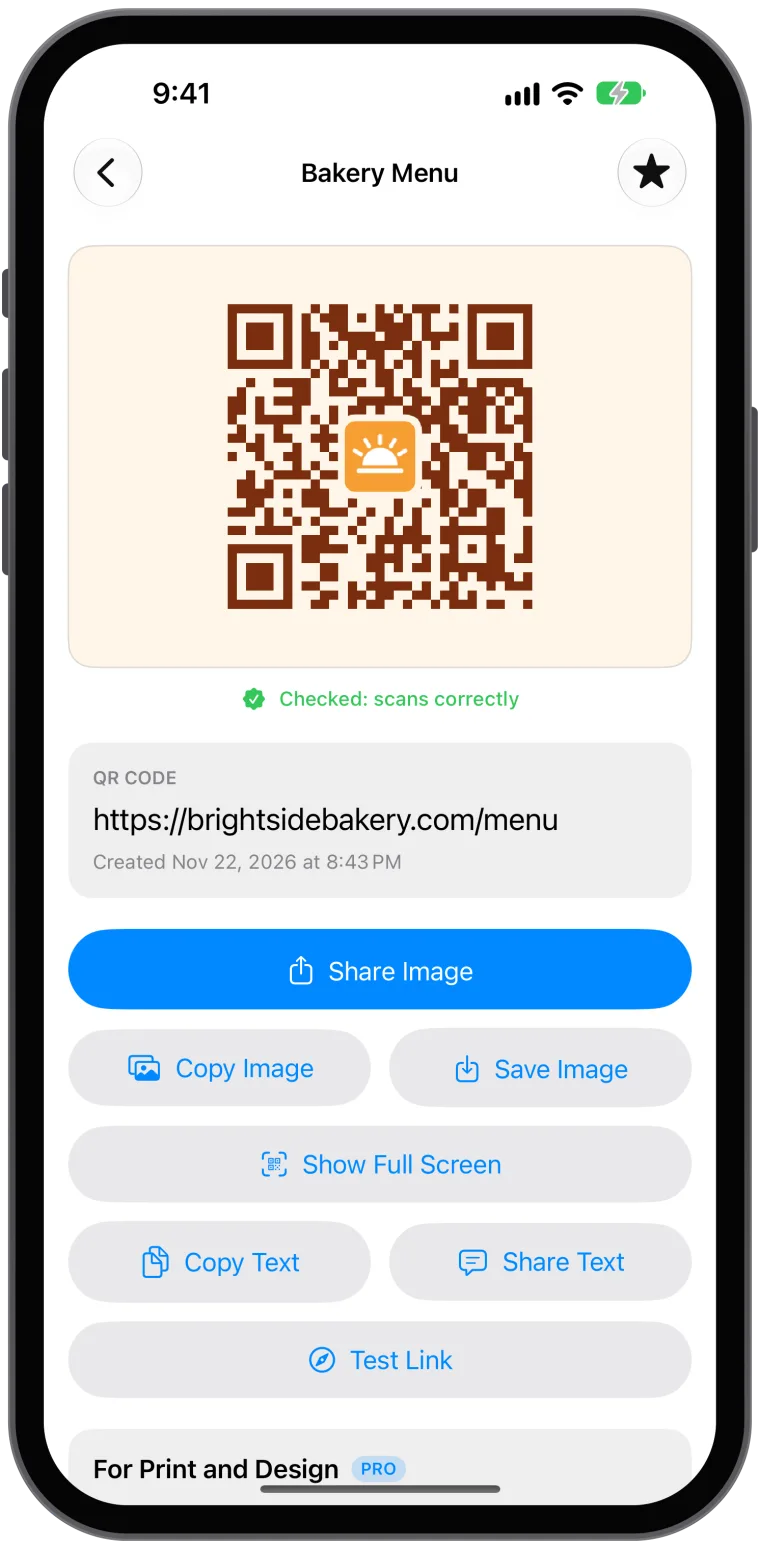
A QR code with your logo and your colors
Make your QR code match your brand: pick the code color and the background, and put your logo in the middle. Setrik QR Pro checks the code again after every change, so a good-looking code is still a code that scans.
Warnings if colors are too light or too close.
The logo switches the code to its strongest error correction.

Free to download · Pro is a one-time purchase · For iPhone, iOS 26 or later
How it works
Add your colors and logo
1
Open a QR code
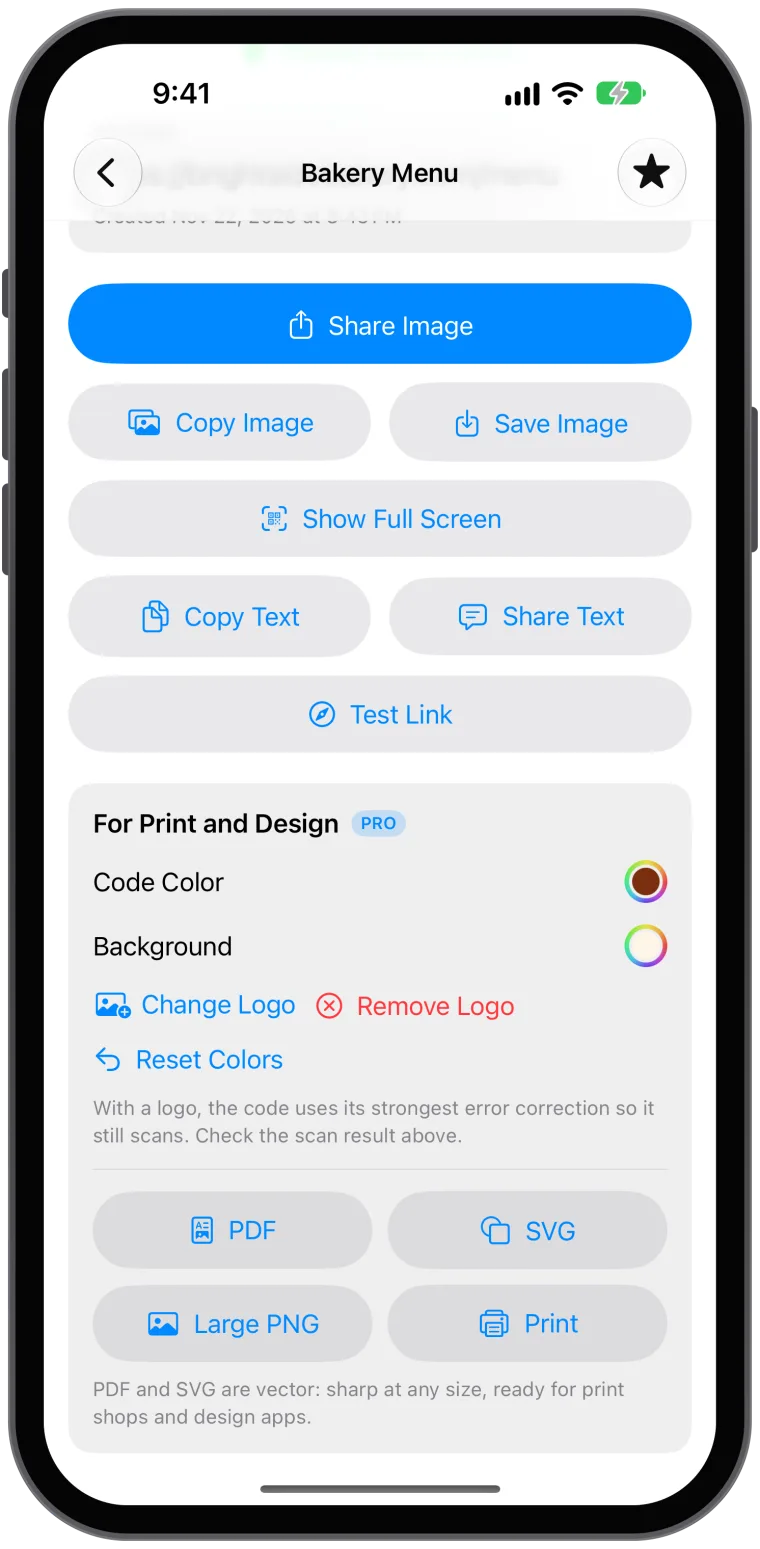
Scroll to For Print and Design at the bottom.
2
Pick colors and a logo
Code Color and Background, then Add Logo from Photos.
3
Check and share
Look for “Checked: scans correctly,” then share, save, or export it.
Colors that still scan
Warnings before you print
Not every color pair scans. Phones look for dark squares on a light background, so Setrik QR warns you when your choice might not work.
Too light: “Light codes on dark backgrounds often don’t scan. Use a darker code color.”
Too close: “These colors are too close. The code may not scan; pick a darker code or lighter background.”
Reset Colors goes back to black on white.
Colors are solid, with no see-through backgrounds, so the code prints the way it looks.
Your logo
In the middle, sized to scan
Add your logo from Photos and Setrik QR places it in the center, on a rounded pad in the background color. The code switches to its strongest error correction, so it still scans with the logo covering part of it.
Change Logo or Remove Logo any time.
Sized for you: the logo takes about a fifth of the code’s width.
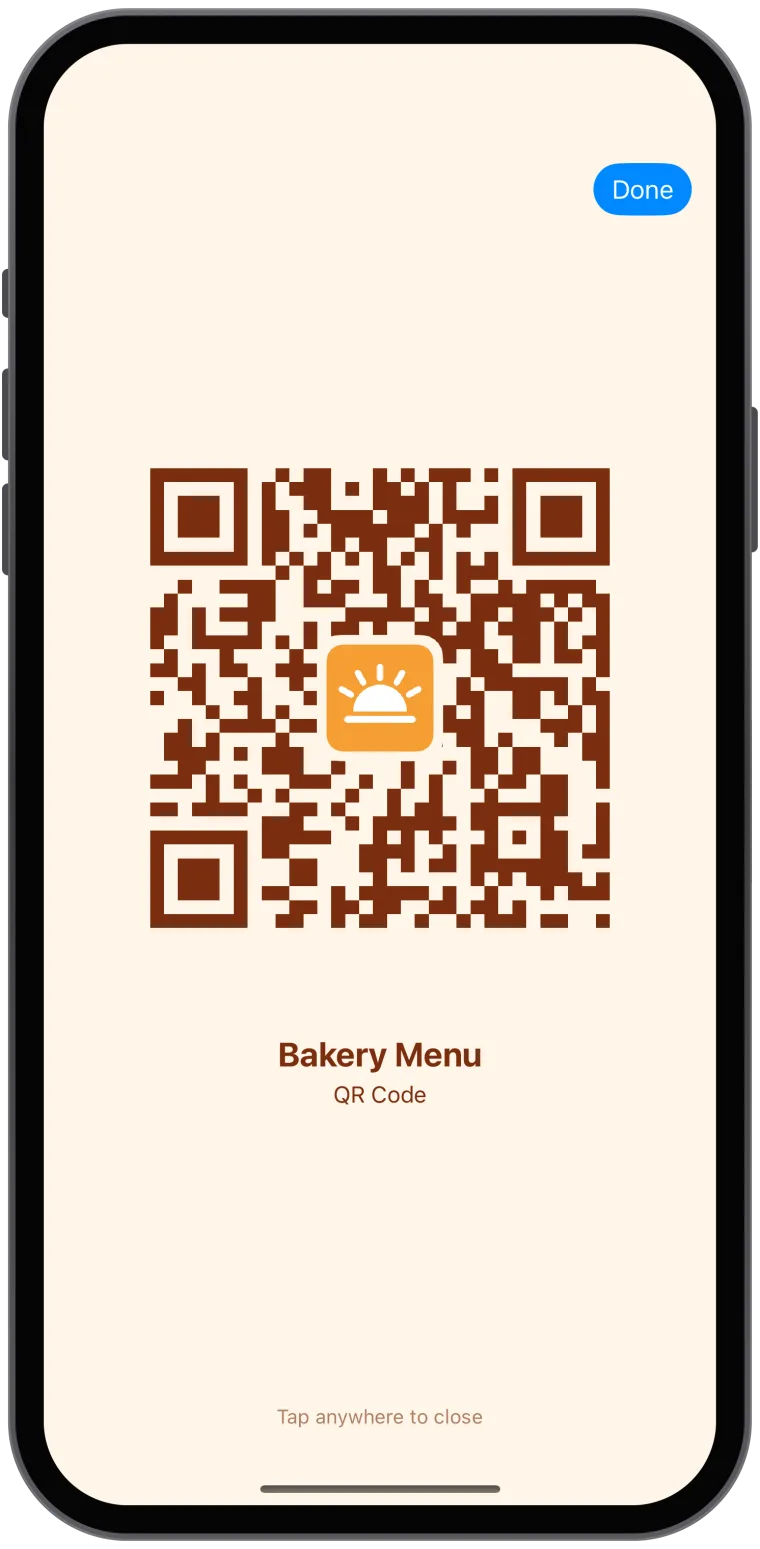
Everywhere: colors and logo are saved with the code and used in every image, PDF, SVG, the full-screen view, and the widget.
Checked again after every change.
Real-life uses
Where a branded code looks the part
When the code sits next to your name, it should look like it belongs.
Café menus and table cards
Your colors and your logo on the code that opens the menu.
Business cards
A code that matches the card design.
Packaging
Your brand on the code that opens the instructions.
Shop windows
A code that fits the window display.
Event posters
Codes in the event’s colors.
Merchandise
Stickers and tags that look like part of the design.
Before you print
Tips for a code that scans every time
Size: at least about 2 cm (0.8 in) across for close-up scanning, like on a business card. Go bigger for posters people see from across the room.
Test one copy first. Setrik QR checks every code, but print one and scan it with a phone before you print a stack.
Dark on light. Keep the code darker than its background, with a little blank space around it.
A big logo needs a bigger code. Print it a little larger, and test it.
Part of Setrik QR Pro
Code colors, background colors, and a logo are part of Pro. They work on QR codes. Pro is a one-time purchase in the app, through Apple: no subscription, nothing renews. See everything Pro includes.
Keep exploring
More of what Setrik QR does
Or see every Setrik QR feature on one page.
Print and export
Share or save any code, or print-ready PDF, SVG and large images with Pro.
See printing and exportBarcodes
Code 128, UPC, EAN, PDF417, Aztec and more, with check digits added for you.
See all 10 barcodesSaved Code widget
One of your codes right on the Home Screen, ready to scan.
See the Saved Code widgetWebsite QR codes
A link to your site, menu, or review page, for flyers and signs.
See website QR codesContact card QR codes
One scan adds you to someone’s Contacts. Made for business cards.
See contact card QR codesQuestions about QR codes with a logo
Will a QR code with a logo still scan?
Yes, when it’s made right. Setrik QR uses the strongest error correction with a logo, sizes the logo for you, and checks the code again. Test one printed copy before printing many.
Can I use any colors?
Any solid colors, but the code needs to be darker than its background with enough contrast. Setrik QR warns you if they’re too light or too close.
Can I add a logo to a barcode?
No. Colors and a logo work on QR codes.
Is it a subscription?
No. Colors and logo are part of Setrik QR Pro, a one-time purchase.
Make a QR code that looks like your brand
Your colors, your logo, still checked to scan. Free to download; colors and logo come with Pro.