QR code generator for iPhone
QR codes for your website, business card and Wi-Fi. In seconds.
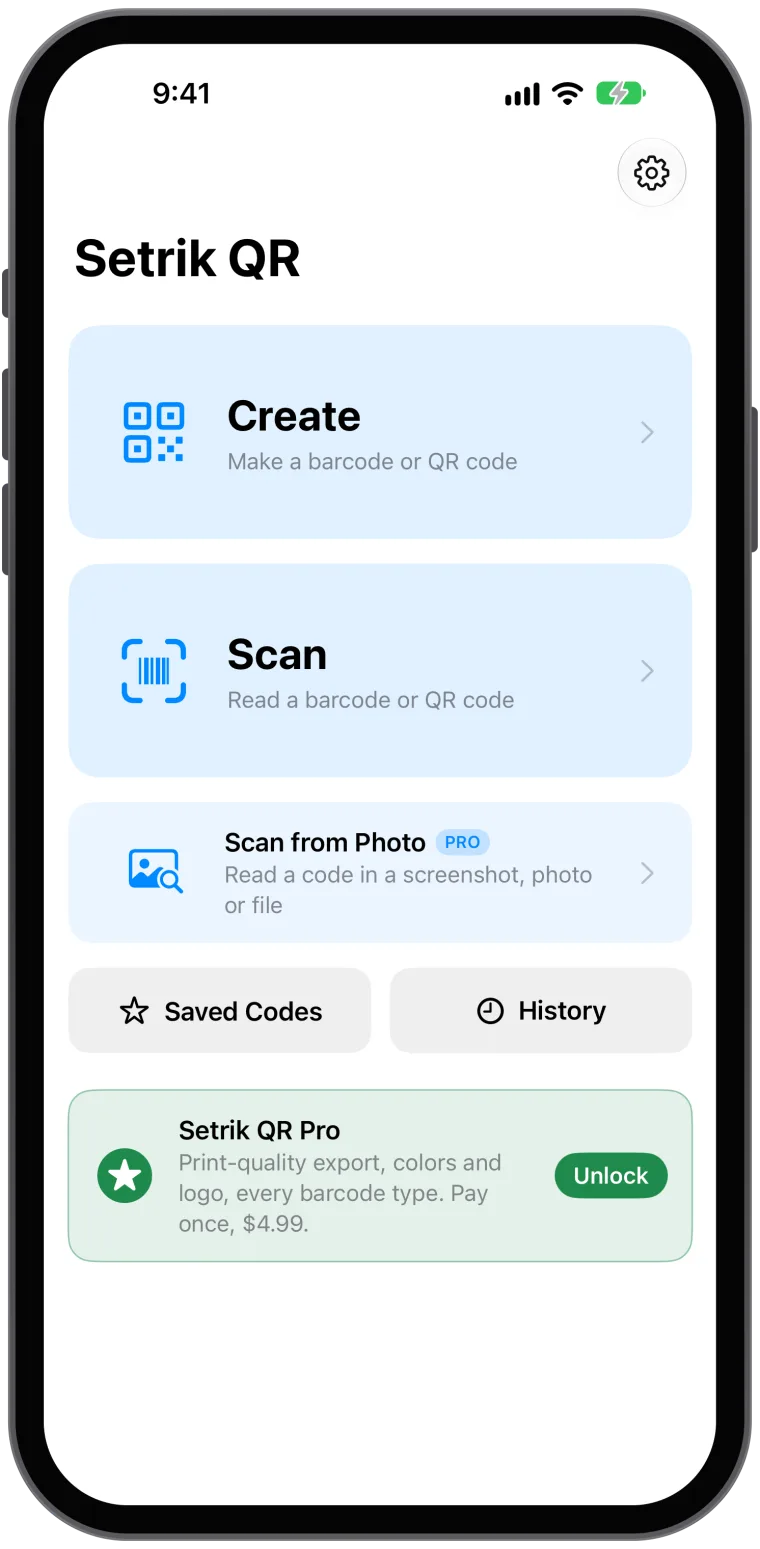
Setrik QR is a QR code generator and scanner for iPhone. Pick what the code is for, type or paste it, and the code appears as you type. The app checks that it scans, then you share it to a flyer, a document, or an email. It scans any barcode too.
No ads, no account, no subscription.
Your codes never expire: they hold exactly what you typed, with no links through our servers.

Free to download · For iPhone · Requires iOS 26 or later
How it works
Your first QR code in under a minute
1
Pick what it’s for
A website link, your contact card, your Wi-Fi, an email, a phone number, or plain text.
2
Type or paste it
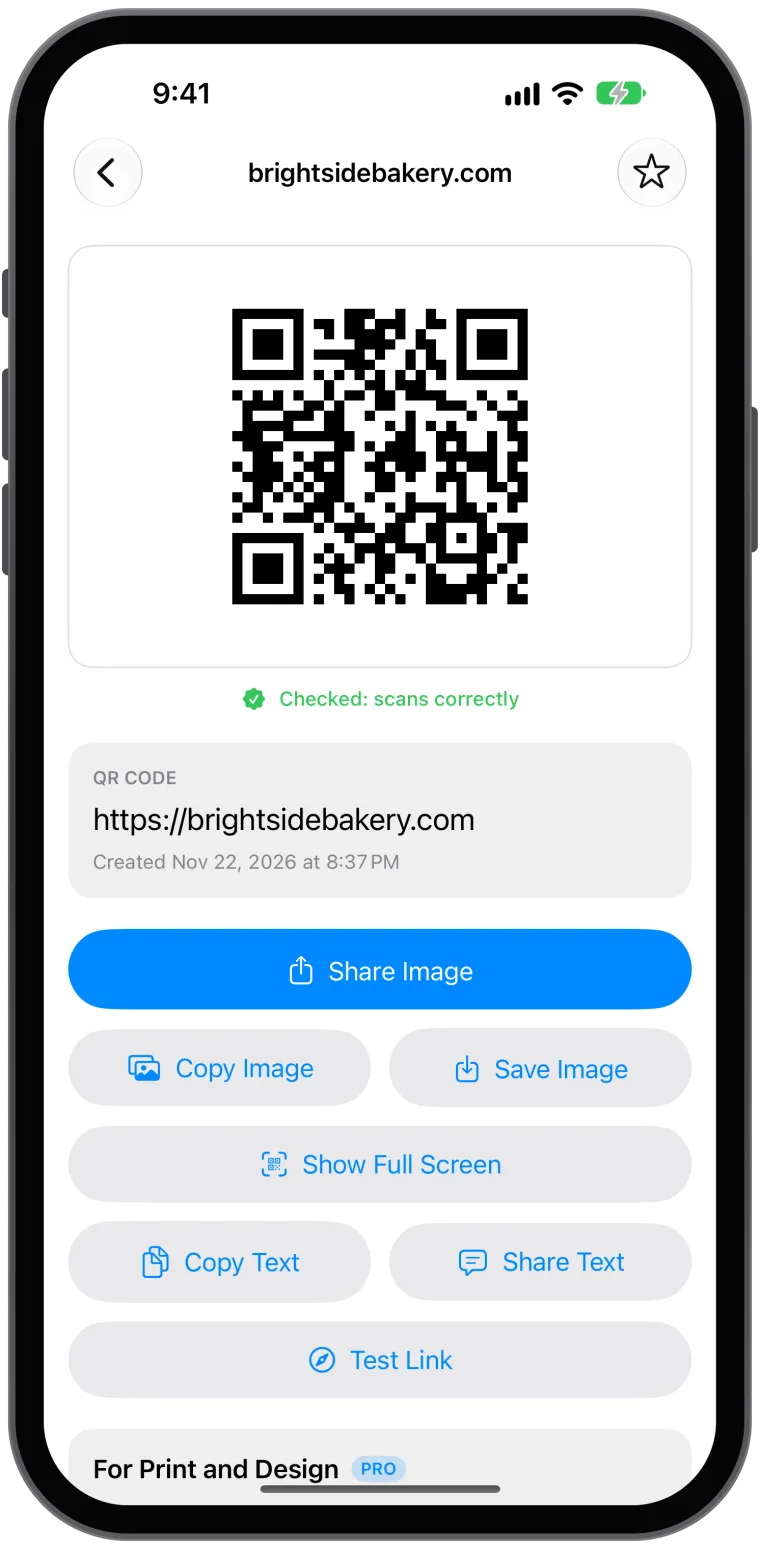
The code appears as you type, and Setrik QR reads it back to check that it scans.
3
Share it
Send the image, paste it into a document or email, save it to Photos, or print it.
New to QR codes? The Setrik QR getting started guide walks you through your first one.
Make QR codes
Six kinds of QR codes, all free
Every kind has its own simple form that catches mistakes before you print. Tap a kind to see how it works and where people use it.
Website QR codes
A link to your site, menu, or review page, for flyers and signs.
See website QR codesWi-Fi QR codes
Guests scan to join your network. No more spelling out the password.
See Wi-Fi QR codesContact card QR codes
One scan adds you to someone’s Contacts. Made for business cards.
See contact card QR codesChecked before you print
Know it scans before you print 500 flyers
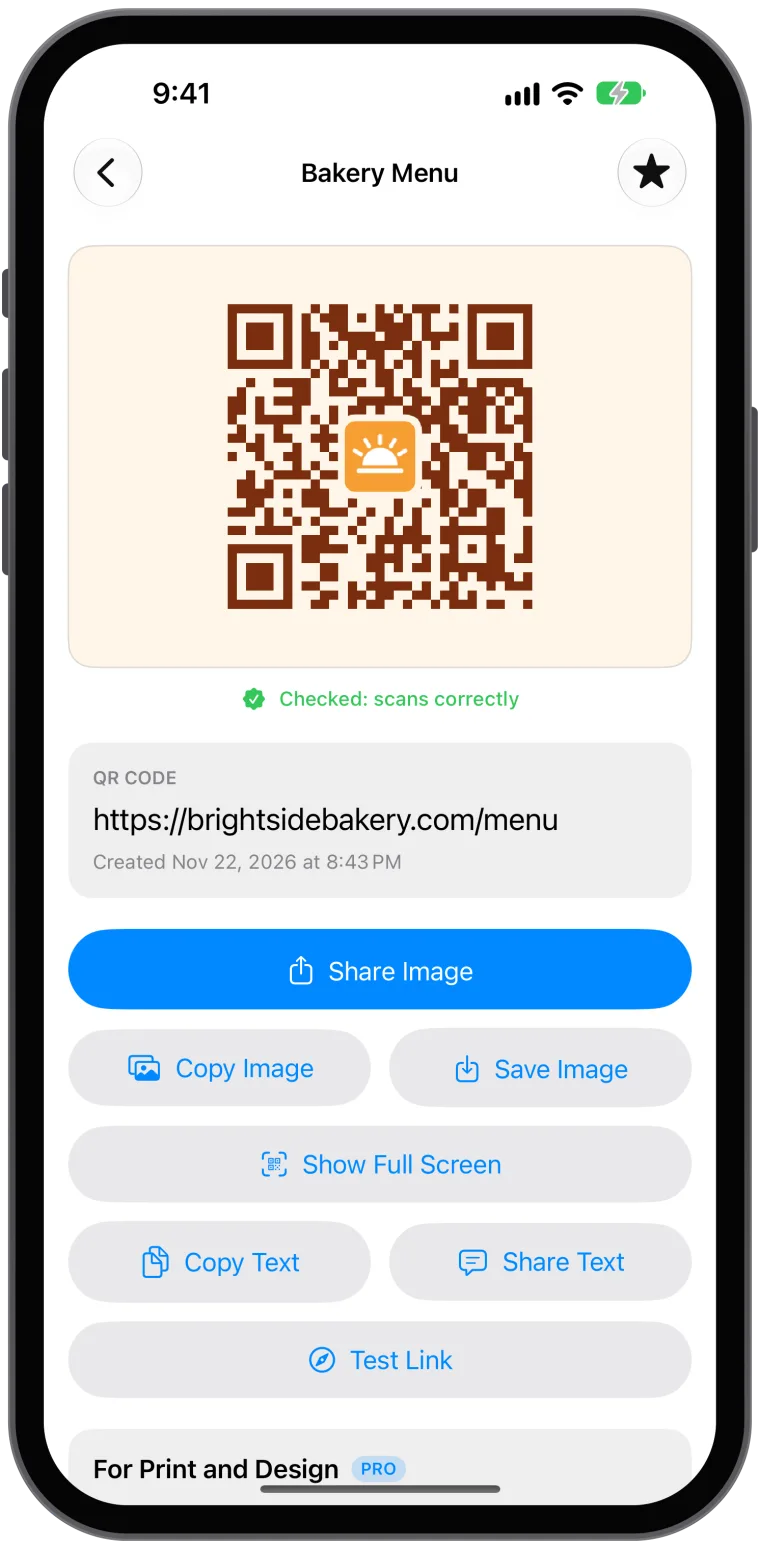
A QR code that doesn’t scan is worse than no code at all. After you make a code, Setrik QR reads its own image back and shows Checked: scans correctly. If it ever can’t read it, it tells you to test it before printing.
Typos caught as you type: a web address with a space, an email with no @, a Wi-Fi code with no password.
https:// added for you if your web address is missing it.
Checked again every time you change the colors or add a logo.
Real-life uses
Where a QR code saves someone time
A few of the places people put the codes they make with Setrik QR.
The menu at a café
A website QR code on each table opens the menu online, so you change the menu, not the code.
Make a website QR codeWi-Fi at a vacation rental
A framed Wi-Fi code by the door: guests scan it and they’re online, without asking for the password.
Make a Wi-Fi QR codeThe back of a business card
A contact card code adds your name, number, email, and address to their phone in one scan.
Make a contact card QR codeA feedback desk
An email code opens a message to you with the subject already typed: “Feedback for the front desk.”
Make an email QR codeA sticker on the furnace
A phone code on the equipment means the next service call is one scan away.
Make a phone QR codeLabels on storage bins
A text code lists what’s inside, and it reads with no internet at all.
Make a text QR code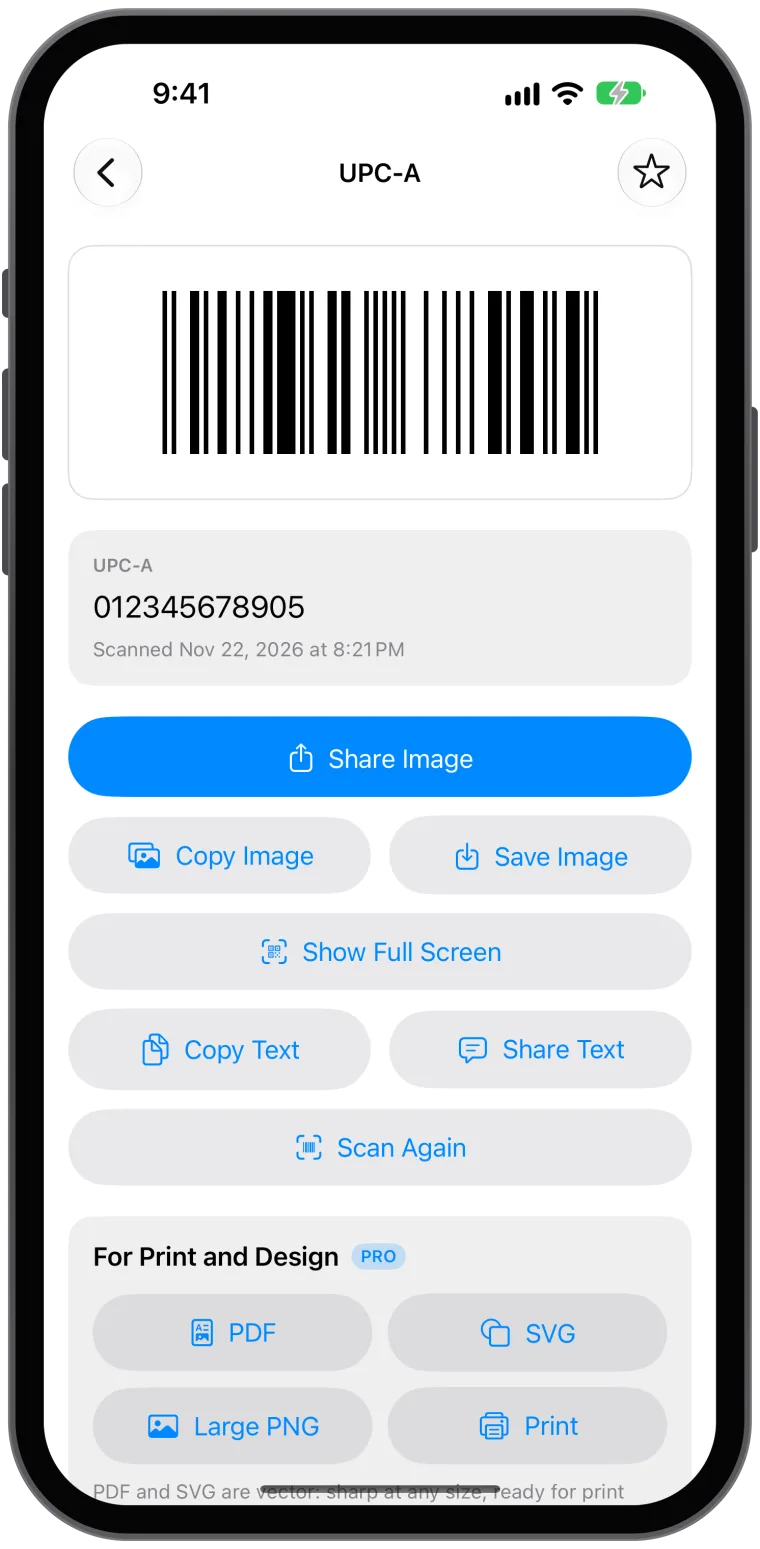
Scan anything
A clean scanner with no ads
Point the camera at any QR code or barcode. Setrik QR reads 20 kinds, vibrates, and shows you what’s inside before anything opens: the link, the phone number, the Wi-Fi details. Then tap to open it, call, email, or copy.
See it before you open it. Check where a link goes before you tap it.
Codes in pictures too (Pro): read a code in a screenshot, a photo, or an image file, like a boarding pass or a ticket someone sent you.
Every scan is kept in History, so you can find it again later.
Keep your codes
Your loyalty card, your Wi-Fi, your business card, always handy
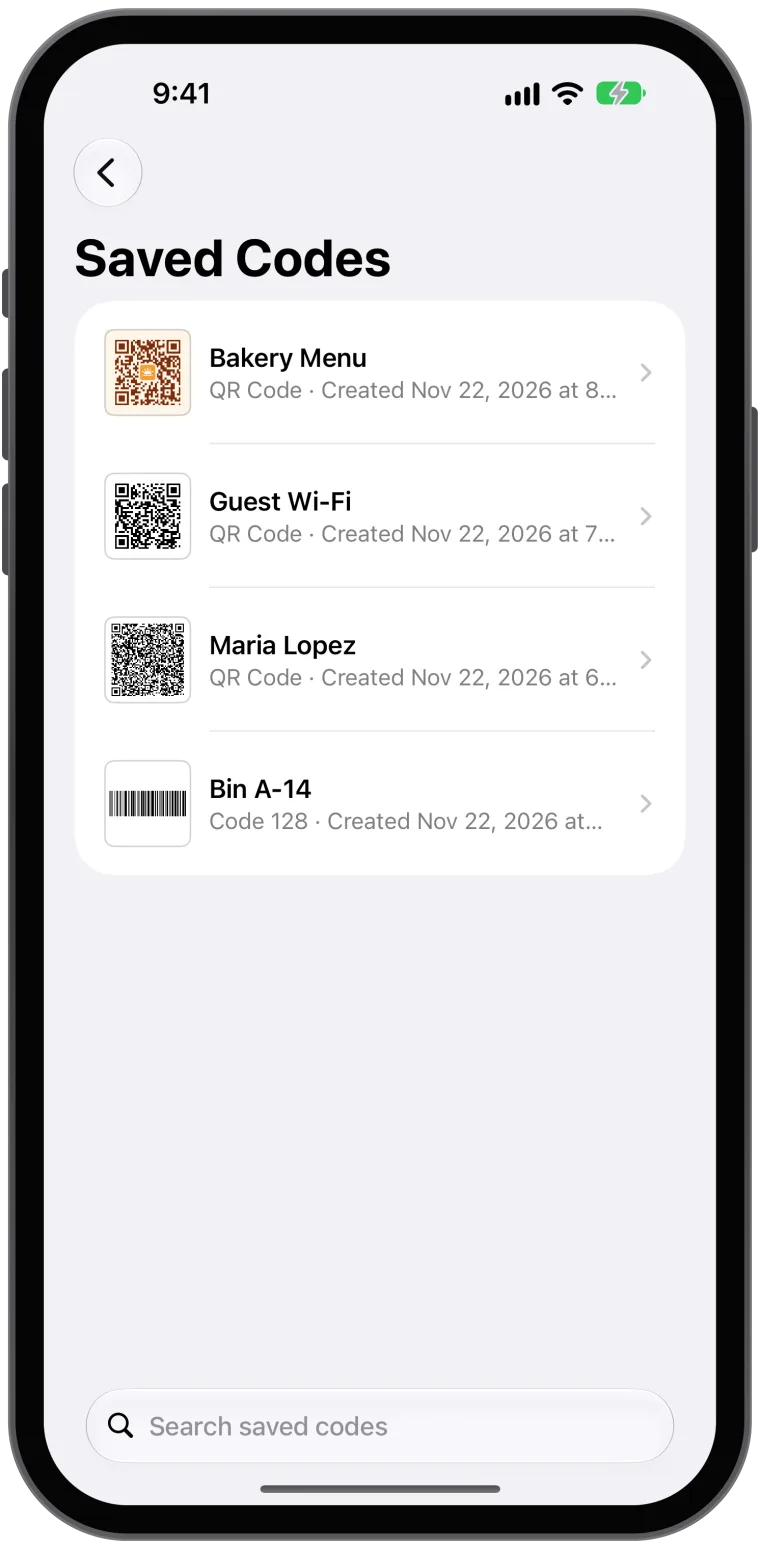
Tap the star on any code to keep it in Saved Codes with a name you choose. At the counter, tap Show Full Screen: the code fills the screen at full brightness and the screen stays awake.
Saved Codes: the codes you use, named and searchable.
History: every code you scan or make, kept automatically.
On a new phone: your codes come back through your own iCloud.
Widgets: scan from your Home Screen or Lock Screen, or keep a saved code on your Home Screen (Pro).
Setrik QR Pro
Print-ready files, your colors, your logo
For flyers, posters, packaging, and signs, Setrik QR Pro adds everything you need for print and design. It’s a one-time purchase: pay once, yours forever.
PDF and SVG files that stay sharp at any size, a large 4096-pixel image, and Print.
Your colors and your logo in the middle of a QR code, with a warning if the colors won’t scan.
Every barcode type, from Code 128 to UPC and EAN, with check digits added for you.
Scan from a photo, unlimited Saved Codes, full History, and the Saved Code widget.
Barcodes, too (Pro)
Ten kinds of barcodes, with the math done for you
Need a barcode for a storage bin, an asset tag, a shipping carton, or a ticket? Setrik QR Pro makes ten types and adds the check digits for you, so the numbers always add up.
Code 128
Inventory, bin labels, and shipping labels.
UPC and EAN
Product barcodes, with the GS1 note for items sold in stores.
PDF417 and Aztec
Lots of information in a small space, like tickets and passes.
Code 39, ITF-14, Codabar
Asset tags, shipping cartons, and library-style labels.
Private by design
Your codes are yours
Setrik QR doesn’t collect your data. There’s nothing to sign up for, and nothing between your code and the people who scan it.
No ads, no account, no tracking. We never see your codes.
Codes that never expire. Many QR code websites make codes that stop working when you stop paying. Setrik QR codes hold exactly what you typed, so they work for as long as your website or Wi-Fi does.
Your own iCloud. History and Saved Codes stay on your iPhone and sync through your own iCloud.
Light and dark mode, very large text, and VoiceOver.
Details are in the Setrik QR privacy policy.
Free to download
Pay once, yours forever
Every kind of QR code, scanning, sharing, and saving are free, with no ads and no watermark. Setrik QR Pro is one purchase, with nothing to renew.
Questions people ask first
Is Setrik QR really free?
Yes. Making QR codes of every kind, scanning, and sharing and saving codes at standard size are free, with no ads and no watermark. Setrik QR Pro is a one-time purchase for print-quality files, colors and a logo, every barcode type, scanning from a photo, and unlimited saved codes.
Do my QR codes expire?
No. The code holds exactly what you typed, such as your website address, with no link through our servers. It works for as long as your website does.
Is it a subscription?
No. Pro is a one-time purchase. Nothing renews, and there’s nothing to cancel.
Do I need an account?
No. There’s nothing to sign up for. Your Apple ID handles syncing and purchases.
Will my code scan when I print it?
Setrik QR reads every code back and shows “Checked: scans correctly.” Before printing lots of copies, test one printed copy with a phone.
Does it work on iPad or Mac?
Setrik QR is an iPhone app. It also installs on iPad, where it runs as an iPhone app. There’s no Mac version.
Who makes it?
Setrik Software, the makers of Setrik Scan. Questions go to a real person at contact@setrik.com.
Make your first QR code today
Your website, your business card, or your Wi-Fi, in seconds. Free to download, no ads.