History
Every code you scan or make, kept for you
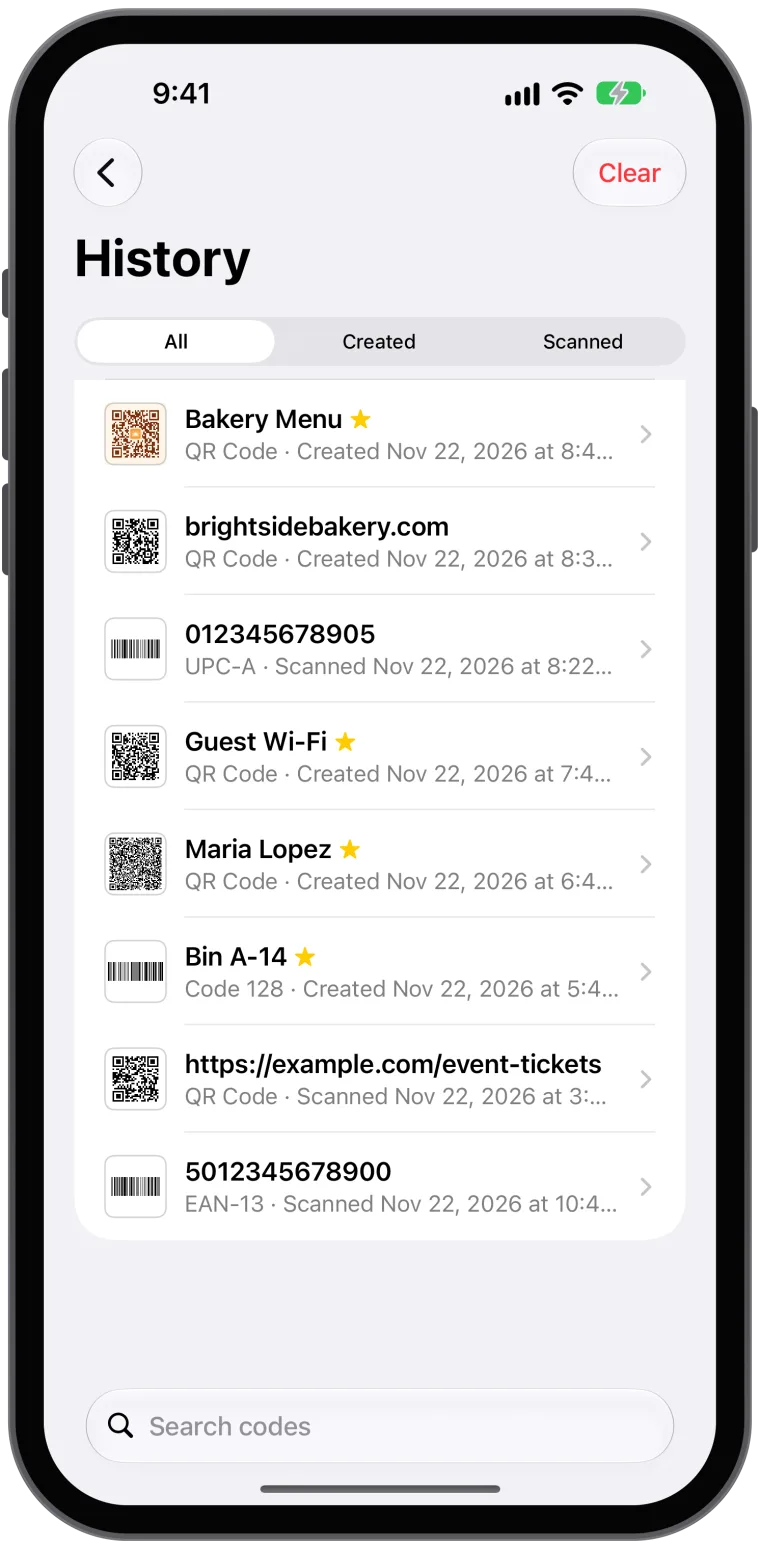
You don’t have to remember to save anything. Every code you make or scan goes into History automatically, newest first, with a small picture of each code.
Search by name, value, or type.
Syncs through your own iCloud, so it comes back on a new phone.

Free to download · For iPhone · Requires iOS 26 or later
Find it again
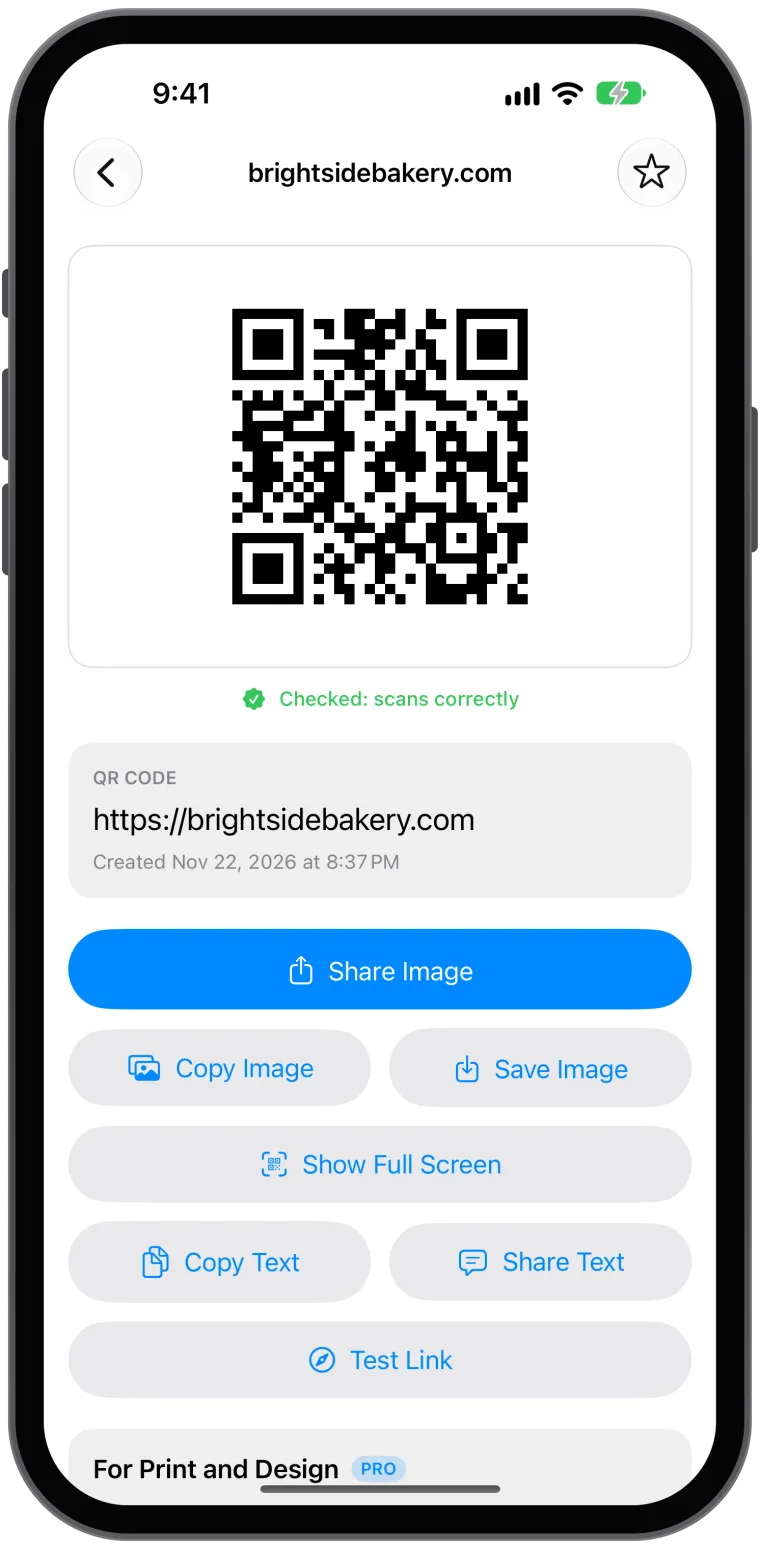
Filter, search, and tap
Last Tuesday’s Wi-Fi code, the product number you scanned at the store, the flyer code you made for the bake sale: they’re all in History.
Filter: All, Created, or Scanned.
Search by name, value, or type.
Saved codes show a yellow star.
Long-press a code for Show Full Screen, Copy Text, or Delete.
Swipe left to delete. If the code is also saved, the app asks first.
Clear empties History; your Saved Codes stay.
Real-life uses
When History saves you
The moments you’re glad nothing was thrown away.
The product number you scanned
Scanned a barcode at the store last week? It’s still there.
The link from a poster
Find the event page from the poster you scanned on the way past.
A code you made before
Make a flyer again next year with the same code.
Free and Pro
Nothing is ever lost
Free shows your newest 5 codes. Older ones are kept, not deleted: “N older codes are kept. Pro shows your full history.”
With Pro, you see your whole History, including every older code already kept.
History and Saved Codes sync through your own iCloud and come back on a new phone or after reinstalling.
Keep exploring
More of what Setrik QR does
Or see every Setrik QR feature on one page.
Show Full Screen
Big and bright, with the screen kept awake, for the checkout counter.
See Show Full ScreenQuick Scan and Siri
Open the scanner from the Home Screen, Lock Screen, Control Center, or Siri.
See Quick ScanSaved Code widget
One of your codes right on the Home Screen, ready to scan.
See the Saved Code widgetQuestions about History
Do I have to save codes for them to be kept?
No. Every code you make or scan goes into History automatically.
Why do I only see 5 codes?
The free version shows the newest 5. Older codes are kept, and Setrik QR Pro shows your full History.
Does clearing History remove my Saved Codes?
No. Clear removes every code from History; your Saved Codes stay.
Will my History come back on a new phone?
Yes, through your own iCloud, as long as you’re signed in to iCloud.
Never lose a code again
Everything you scan or make, kept and searchable. Free to download.