Show Full Screen
Big, bright, and ready to scan
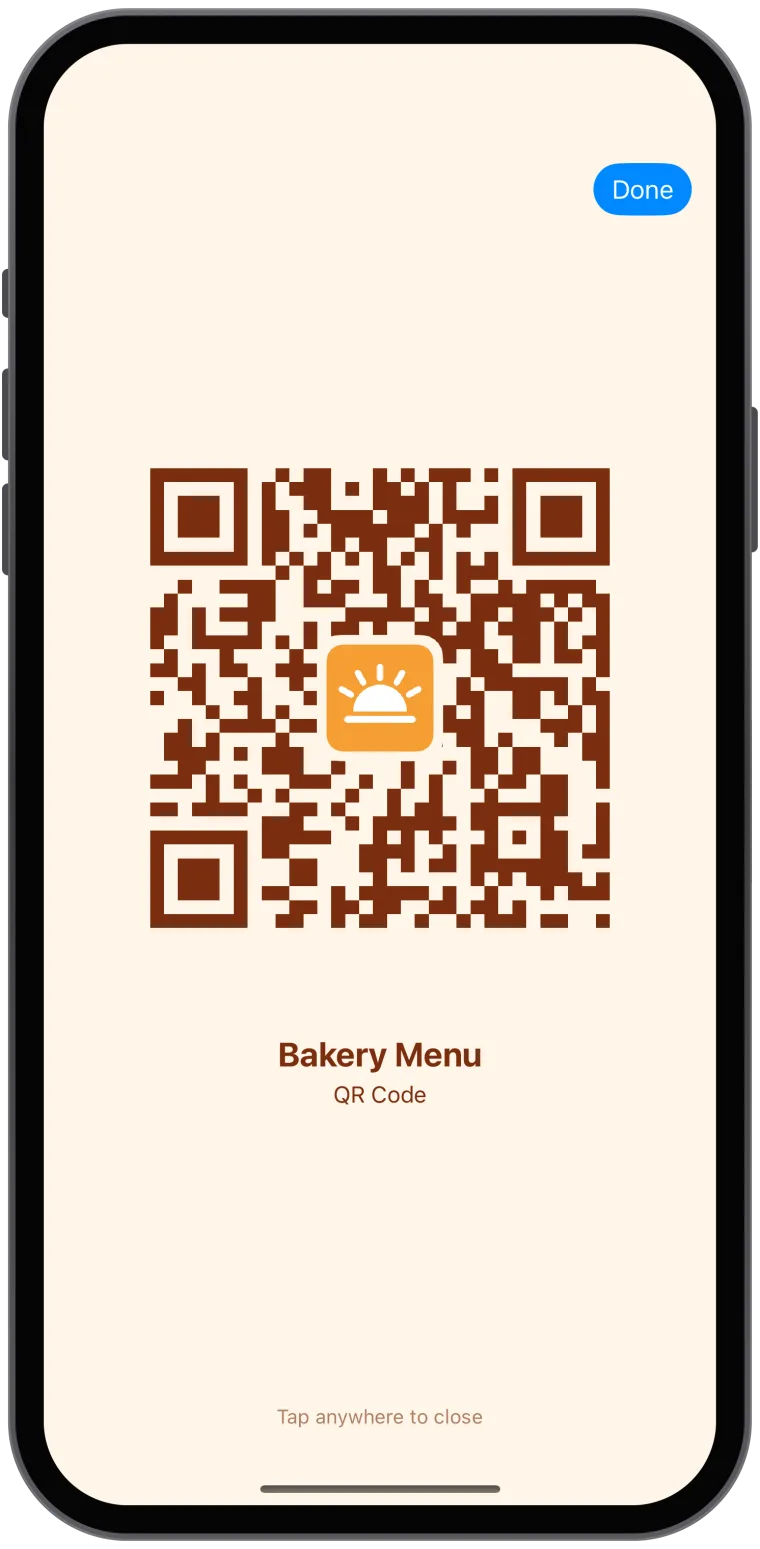
Tap Show Full Screen and the code fills your screen in its own colors, with its name. Brightness goes to maximum and the screen stays awake until you close it.
Free on every code.
Brightness goes back to normal when you close it.

Free to download · For iPhone · Requires iOS 26 or later
How it works
Show a code full screen
1
Open the code
From the result screen, Saved Codes, or History.
2
Tap Show Full Screen
Or swipe right on a code in Saved Codes, or long-press it.
3
Hold it up
Tap anywhere, or Done, to close. Brightness goes back to where it was.
Real-life uses
When a bigger, brighter code helps
Scanners and phone cameras read a big, bright code faster.
The checkout counter
Your loyalty card barcode, held up to the cashier’s scanner.
Guests at the door
Your Wi-Fi code, so friends can join without asking.
Meeting someone new
Your contact card code, for them to scan with their phone.
Check-in and entry
A ticket or pass code at the door.
At your market stall
Your website or menu code, held up for a customer.
From your Home Screen
With Pro, tapping the Saved Code widget opens the code full screen.
Keep exploring
More of what Setrik QR does
Or see every Setrik QR feature on one page.
Quick Scan and Siri
Open the scanner from the Home Screen, Lock Screen, Control Center, or Siri.
See Quick ScanSaved Code widget
One of your codes right on the Home Screen, ready to scan.
See the Saved Code widgetQuestions about Show Full Screen
Does it change my brightness for good?
No. Brightness goes to maximum while the code is showing and back to where it was when you close it.
Will my screen lock while I’m showing the code?
No. The screen stays awake until you close it.
Is it free?
Yes. Show Full Screen is free on every code.
Hold up your code, not your plastic
Big, bright, and awake until you’re done. Free to download.