Edit a QR code
Fix a code without starting over
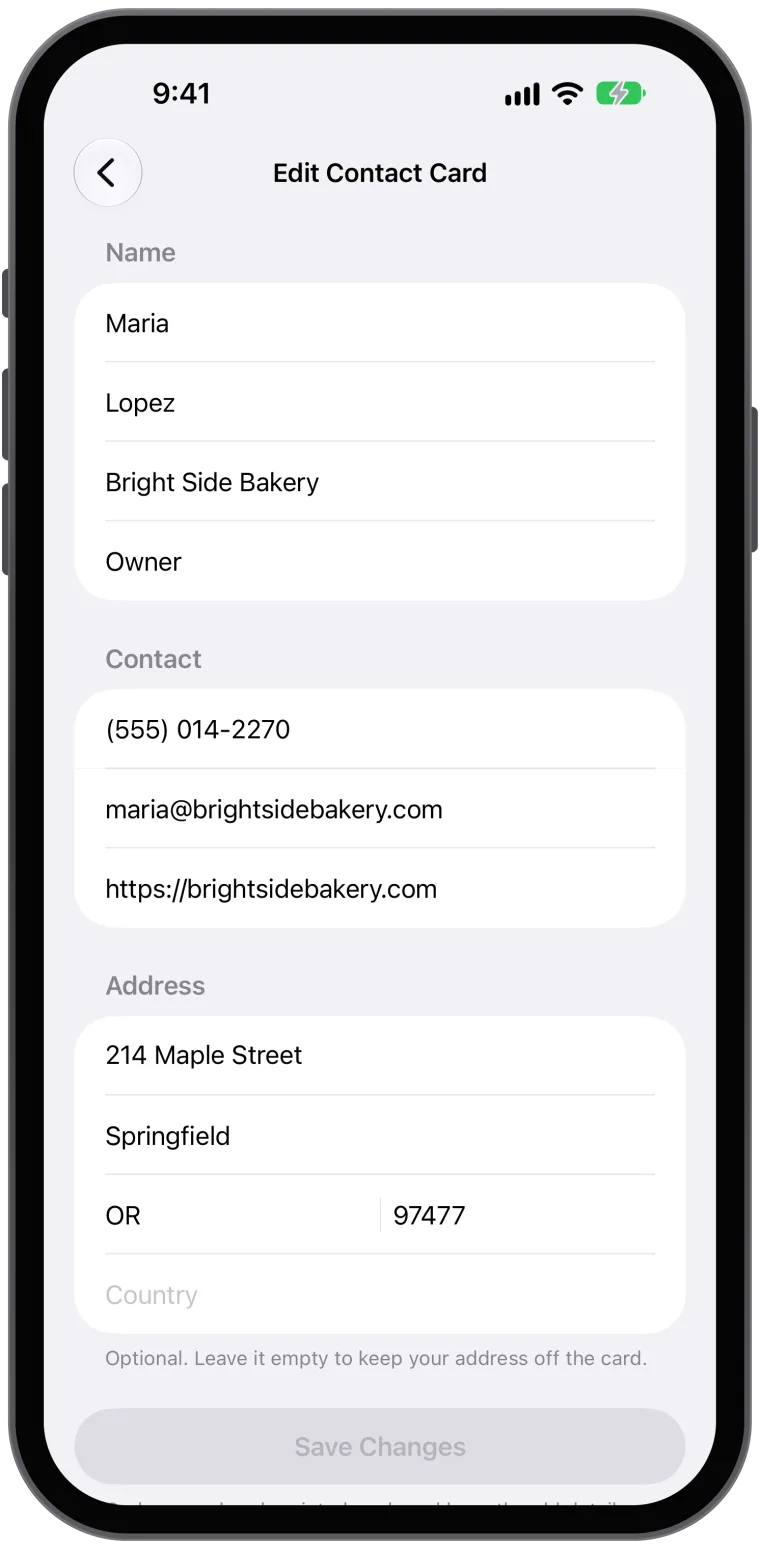
Changed your phone number, your Wi-Fi password, or your job title? Open the saved code, tap Edit, and its form comes back with every field filled in. Change what’s different and tap Save Changes. Your colors, logo, caption, and frame stay.
Free for QR codes. Other barcodes need Pro, like making them.
Checked again to scan after every change.

Free to download · For iPhone · Requires iOS 26 or later
How it works
Edit a saved code
1
Open the saved code
In Saved Codes, tap the code. Or swipe left on it, or touch and hold it, and tap Edit.
2
Tap Edit
It’s under Show Full Screen. The same form opens, titled like “Edit Contact Card,” with everything filled in.
3
Save Changes
The button turns blue once something changes. The code keeps its name, its place in Saved Codes, and its look.
A code you already printed doesn’t change
Setrik QR makes plain codes: the picture holds the details itself, with no link through our servers. That’s why they never expire, and it also means editing changes the code in the app, not the copies you already printed or shared. The app says so on the form: “Codes you already printed or shared keep the old details. Share or print it again after you save.” Tip: for a printed code that needs to change often, point it at a web page you control and change the page instead.
Codes that aren’t saved
Edit a Copy keeps the original
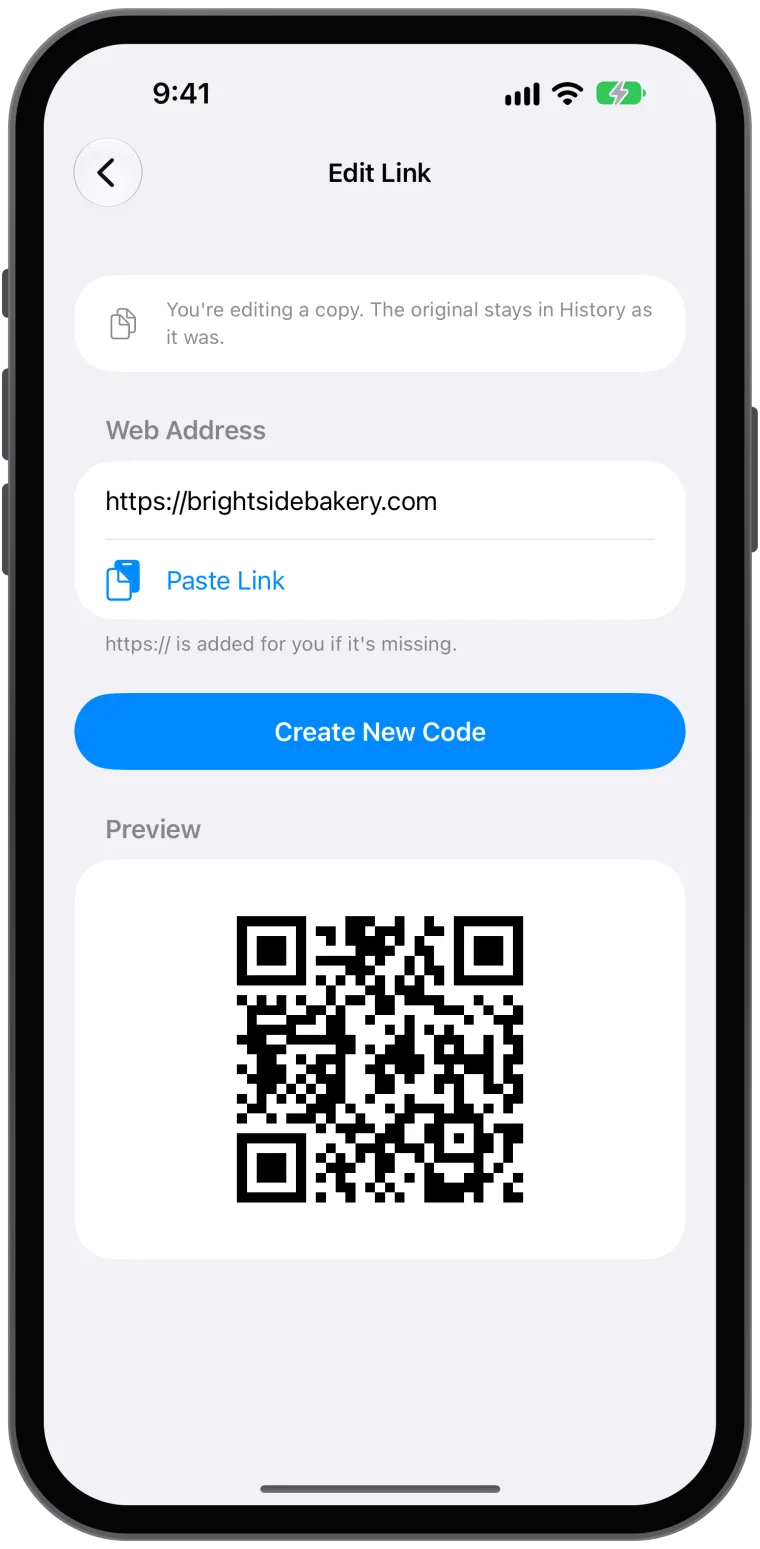
For a code in History or one you scanned, the button reads Edit a Copy. It makes a new code from it, and the original stays in History as it was.
Scanned a friend’s Wi-Fi code? Edit a Copy, put in your own network name, and you have your own.
Made a code last month? Copy it from History and change one detail.
The copy keeps the original’s colors, logo, caption, and frame.
The form says so: “You’re editing a copy. The original stays in History as it was.”
Real-life uses
When a quick fix saves the day
People change numbers, passwords, and jobs. Their codes can keep up.
A new guest Wi-Fi password
A rental host changes the password between seasons and updates the code in seconds.
A new job title or company
A realtor changes brokerages and updates the company on her contact card.
A new phone number
Fix one digit instead of typing the whole card again, where typos creep in.
A new web address
Your menu moved to a new page. Edit the link, then reprint the table cards.
A code you scanned
Edit a Copy of someone’s code and make it your own.
A branded code
Your colors and logo stay, so nothing has to be designed again.
Good to know
A few details
Editing QR codes is free. Editing the ten other barcode types needs Setrik QR Pro, like making them.
If the code’s name was the automatic one (like the website or the person’s name), it updates too. A name you typed is kept.
Codes the app can read but can’t draw, like a scanned Data Matrix code, can’t be edited.
This isn’t a “dynamic” QR code service: there’s no monthly fee, no redirect, and no scan tracking.
Keep exploring
More of what Setrik QR does
Or see every Setrik QR feature on one page.
Captions and frames
“Scan for our menu” under any code, or a “Scan Me” frame with Pro.
See captions and framesLabel and card sheets
QR code stickers on Avery labels and business cards, or a grid with cut lines.
See label sheetsShare menu and Shortcuts
A QR code for any web page, straight from Safari’s Share button.
See the Share menuPrint and export
Share or save any code, or print-ready PDF, SVG and large images with Pro.
See printing and exportColors and logo
Your colors and your logo in the middle, checked so it still scans.
See colors and logoQuestions about editing codes
Can I edit a QR code after I make it?
Yes. Open a saved code and tap Edit (under Show Full Screen). The form opens with everything filled in, and the code keeps its name, colors, and logo. Codes in History and codes you scanned open as Edit a Copy, so the original stays as it was.
Will the QR code I already printed change?
No. The code holds exactly what you typed, so a printed code can’t change. Print or share the new one after you save. If a printed code needs to change often, point it at a web page you control and change the page.
Is editing free?
Yes, for QR codes. Editing other barcodes needs Setrik QR Pro, like making them.
Can I edit a code someone else made?
You can’t change their code, but you can scan it and use Edit a Copy to make your own version.
Fix a code without starting over
Your details change. Your colors and logo stay. Free to download.