QR code business card
Put your business card in a QR code
A contact card QR code holds your name, number, email, website, and address. When someone scans it, their phone offers to add you to Contacts, spelled right, with every detail in the right place.
Free to make, share, and print.
A standard vCard that iPhone and most Android phones understand.

Free to download · For iPhone · Requires iOS 26 or later
How it works
Make a contact card QR code
1
Tap Create, then Contact Card
“For business cards. Scanning adds you to Contacts.”
2
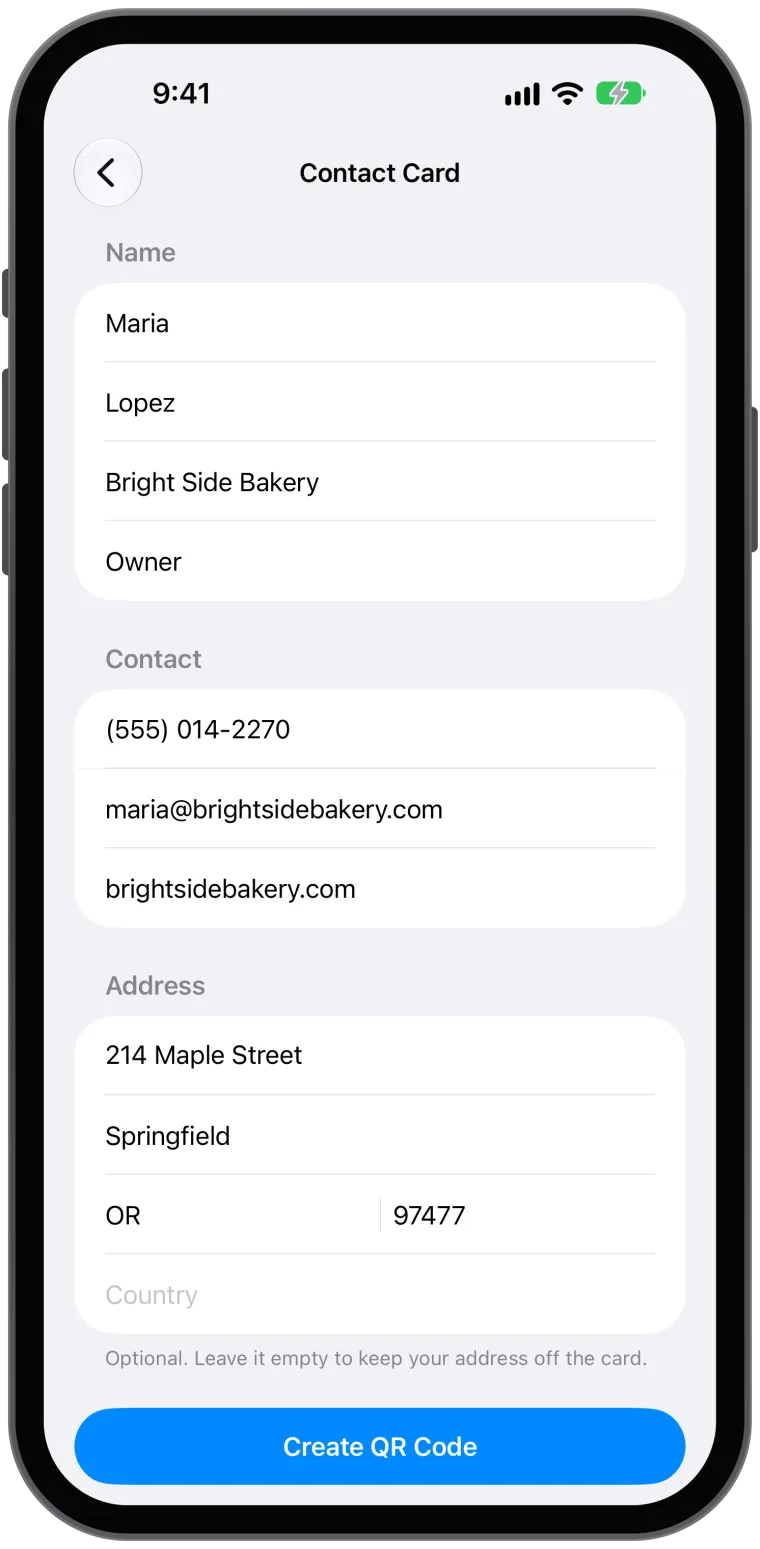
Fill in what you want to share
A first name, last name, or company is all it needs. Everything else is up to you.
3
Put it on your card
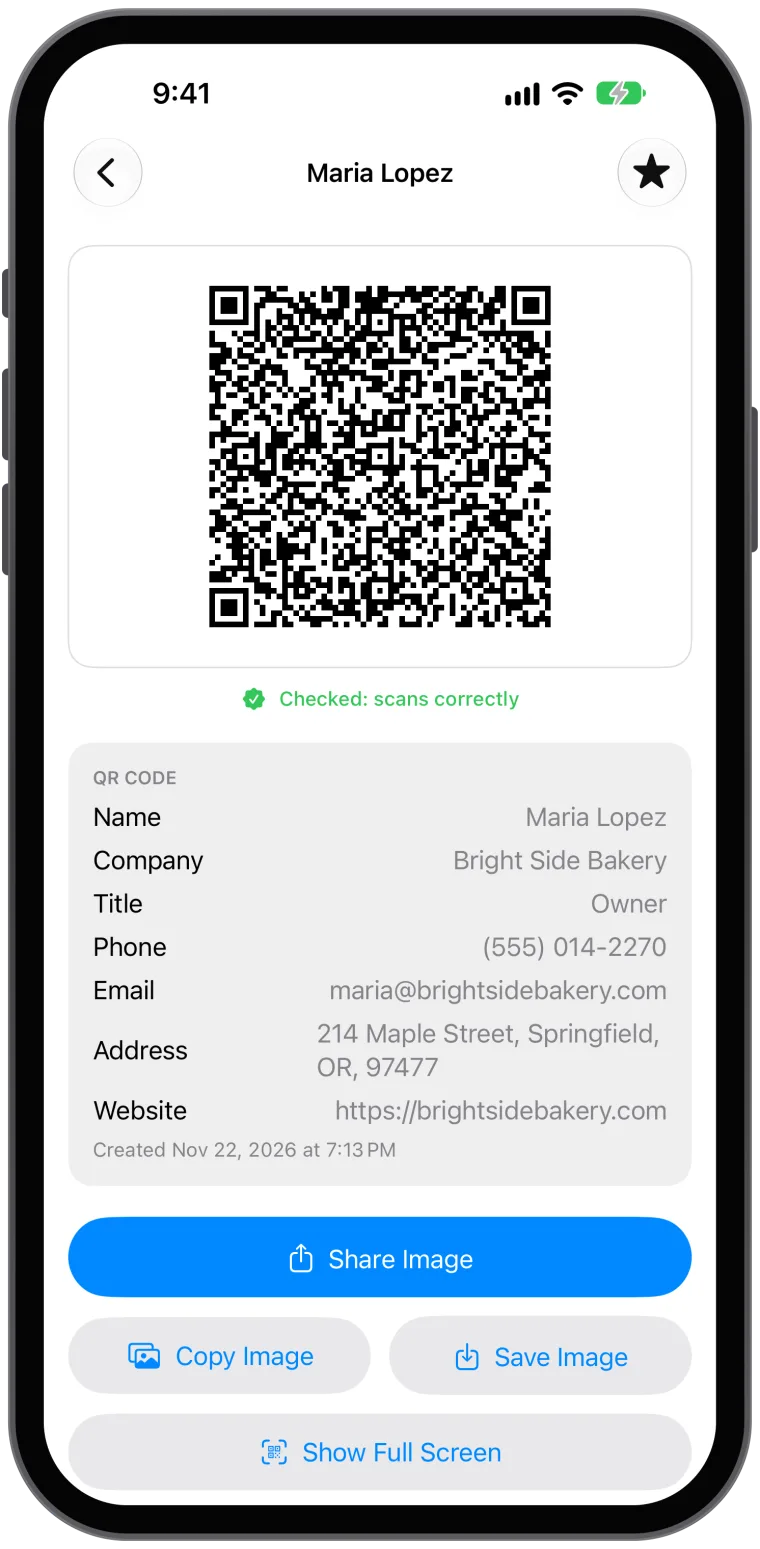
Tap Create QR Code, then copy it into your card design, share it, or show it full screen.
What goes on the card
Share as much or as little as you like
Fill in only the fields you want people to have. The address is optional, and if you leave it empty, no address goes in the card at all.
Name: first name, last name, company, and job title.
Contact: phone (saved as a mobile number), email, and website (https:// added for you).
Address: street (more than one line if you need it), city, state, ZIP or postcode, and country.
Names with commas work, like “Lee, Inc.”
The finished code lists every detail below it, so you can check them before you print.
Real-life uses
Where a contact card QR code helps
Anywhere someone would otherwise type your details into their phone.
The back of a business card
The front has your name; the back has the code. One scan and you’re in their Contacts.
Trade shows and conferences
Show the code full screen at your booth, or print it on your name badge.
Real estate signs
Put the agent’s contact card on the sign rider, so buyers save the right number.
Résumés and cover letters
Make it easy for a hiring manager to save your details.
Work vans and trucks
A code on the van door or the job-site sign that saves your business to their phone.
Email signatures and invoices
Paste the image in, so clients can save you with their phone camera.
Before you print
Tips for a code that scans every time
Size: at least about 2 cm (0.8 in) across for close-up scanning, like on a business card. Go bigger for posters people see from across the room.
Test one copy first. Setrik QR checks every code, but print one and scan it with a phone before you print a stack.
Dark on light. Keep the code darker than its background, with a little blank space around it.
More details make a busier code. A card with a full address has more squares; print it a little bigger, and test it.
Part of Setrik QR Pro
Brand colors, your logo in the middle, and print-ready PDF and SVG files for your card designer are part of Pro. Pro is a one-time purchase in the app, through Apple: no subscription, nothing renews. See everything Pro includes.
Keep exploring
More of what Setrik QR does
Or see every Setrik QR feature on one page.
Website QR codes
A link to your site, menu, or review page, for flyers and signs.
See website QR codesWi-Fi QR codes
Guests scan to join your network. No more spelling out the password.
See Wi-Fi QR codesPrint and export
Share or save any code, or print-ready PDF, SVG and large images with Pro.
See printing and exportQuestions about business card QR codes
What happens when someone scans it?
Their phone shows your details and offers Add to Contacts. It works with the camera on iPhone and most Android phones, because it’s a standard vCard.
Do I have to include my address?
No. The address is optional. If you leave it empty, no address goes in the card.
Can I update my details later?
The code holds your details themselves, so a new number means a new code. Make it in seconds, and keep your current one in Saved Codes.
Can Setrik QR read other people’s contact QR codes?
Yes. Scan a contact card made in another app and Setrik QR shows the details the same way.
Put your business card in a QR code
Your name, number, email, and address, saved to their phone in one scan. Free to download.