
What sets the minimum QR code size
A QR code is a grid of small black and white squares, and a phone camera has to see each square clearly to read it. Print the whole code smaller and every square shrinks with it, until the camera can't tell them apart. So size is really about the squares, not the code as a whole. Three things decide how big the squares end up: how wide you print the code, how much information is inside it, and how far away the person scanning will stand. Good light and a steady hand help too, but you can't count on either for a flyer pinned to a cafe wall.
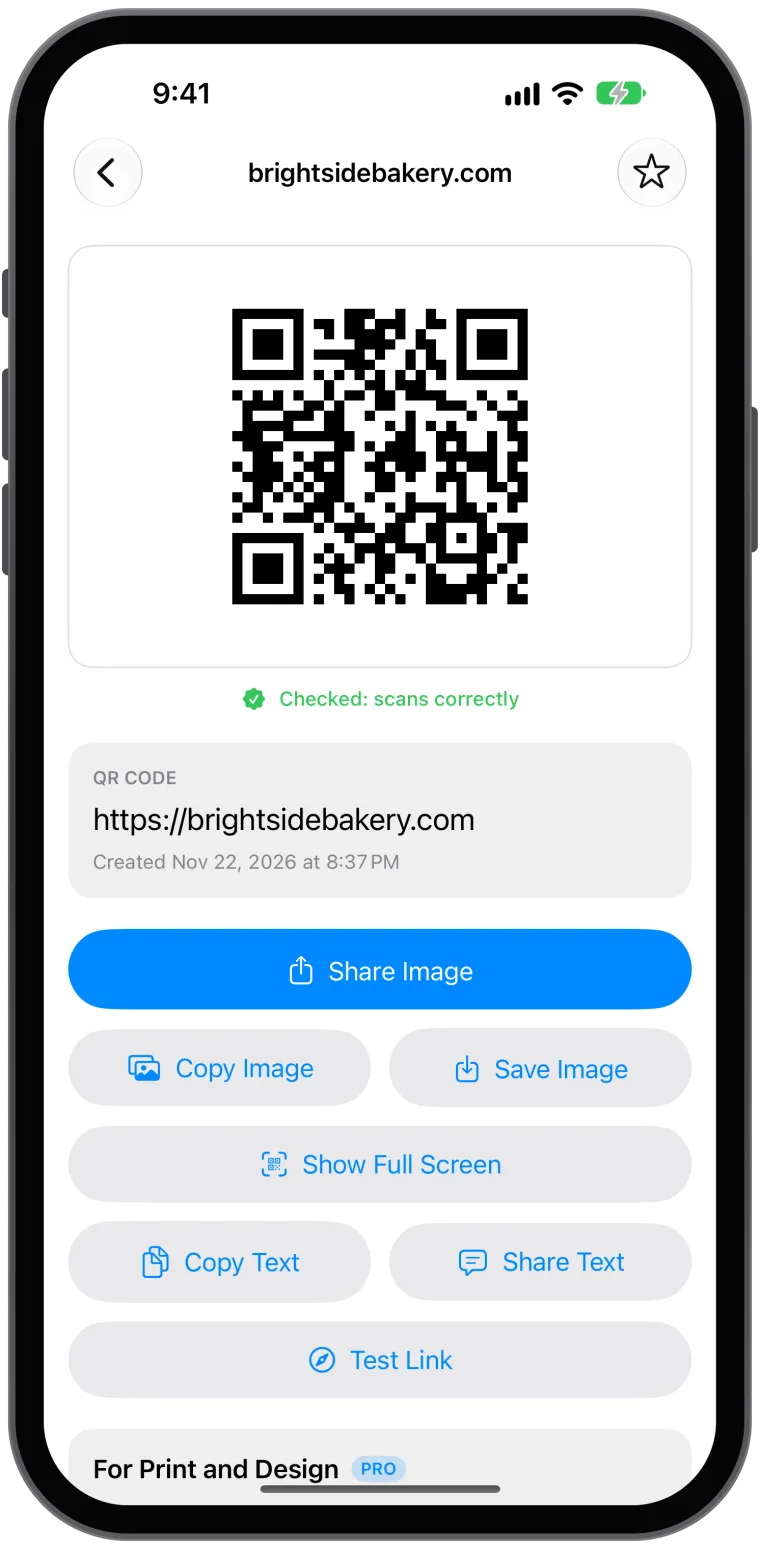
For a code someone holds in their hand, like a business card or a ticket, about 2 cm (0.8 inch) wide is a sensible minimum QR code size. Smaller codes can still scan on newer phones, but older cameras and shaky hands start to struggle, and you can't fix a print run once it's done. When you make a QR code for your website in Setrik QR, the app reads it back and marks it "Checked: scans correctly" before you share it. That tells you the code itself is sound. Whether it's big enough on paper is a separate test, covered below.
QR code size for real uses
Here's a starting point for the things people print most often. Each size comes from the rule of thumb in the next section, worked out for the distance people usually stand from that kind of print. There's no single official chart that fits every use, so treat this one, and any other you find online, as a guide to test against. If your design has room to spare, go one size bigger. A slightly larger code costs nothing, while a code that won't scan costs a reprint.
A starting size for common prints
Business card
About 2 to 2.5 cm (0.8 to 1 inch), since people hold a card about a hand's length from the phone.
Flyer or menu
About 3 cm (1.2 inches) or a little more, for paper held in the hand or lying on a table.
Table tent or counter sign
About 4 to 5 cm (1.5 to 2 inches), because people scan it from their seat or across the counter, about half a meter away.
Poster on a wall
About 10 cm (4 inches) for a poster read from 1 meter (3 feet) away, and twice that if people stand twice as far back.
Yard sign or window sign
About 30 cm (12 inches) for a sign scanned from 3 meters (10 feet) away, such as from the sidewalk or the curb.
The rule of thumb: distance divided by 10
The simplest way to go from the minimum QR code size to the right size for your print is to guess how far away people will be when they scan it, then divide by 10. Say Bright Side Bakery hangs a poster by the door that people read from about 2 meters (6.5 feet) away. The code on it should be about 20 cm (8 inches) wide. A flyer held 30 cm (1 foot) from the phone needs about 3 cm (1.2 inches). This is a rule of thumb shared widely in printing guides, not part of any standard, and it works best for plain black-on-white codes with a short link.
Leave a clear margin around the code
The blank space around a QR code is part of the code. It's sometimes called the quiet zone, which just means a clear border where nothing else is printed: no text, no lines, no edge of a photo. DENSO WAVE, the company that invented the QR code, says on its page about QR code size and margins that a QR code needs a margin four squares wide on every side. Without it, the camera can't tell where the code starts, and even a well-sized code may fail. When you measure the space for the code in your layout, count that margin as part of it.
Sharp at any size
Print-quality PDF and SVG files for print shops and design apps, plus large PNGs.
More inside the code means more room
This is also why there's no single minimum QR code size for every code. A short web address makes a code with fewer, bigger squares, while a long address, a full contact card or a paragraph of text packs in many more, so each square gets smaller at the same width. If your code looks busy, give it more room than the chart suggests, or use a shorter link to the same page. A logo adds squares too, because the code needs extra built-in backup to still read with its middle covered. Colors matter as well: a dark code on a light background scans best, and pale or similar colors need more size and more testing.
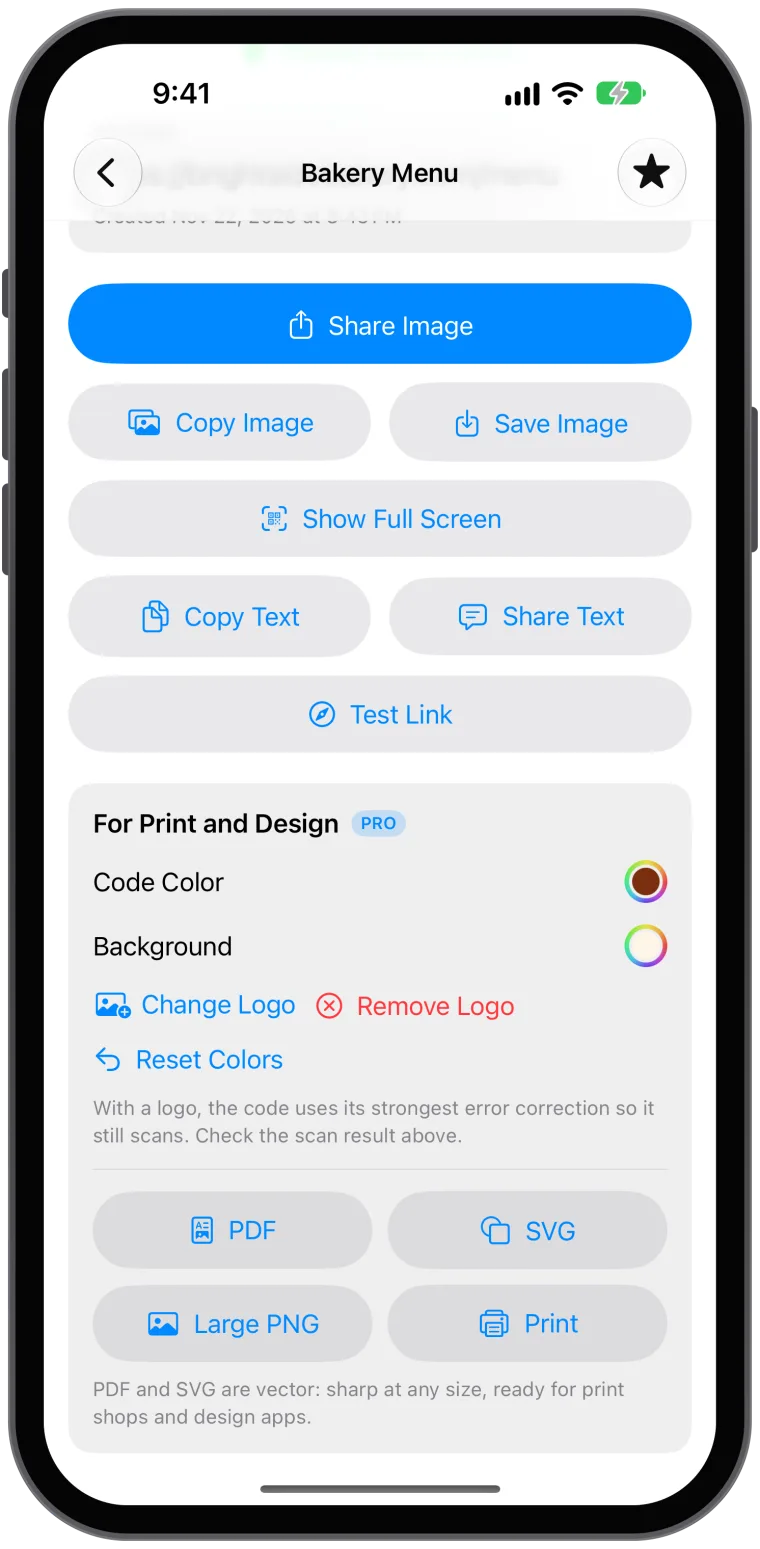
Use a print-quality file for bigger prints
The image you share, copy or save from Setrik QR is free and works well for a business card, a flyer or a document you print at home. For posters, yard signs or anything going to a print shop, a vector file is the safer choice. Vector means the code is stored as shapes rather than dots, so it stays sharp at any size instead of turning blurry when it's stretched. A blurry edge on each square makes the camera's job harder, which matters most on big prints read from far away.
With Setrik QR Pro, a one-time purchase, you can export a print-quality PDF or SVG file, or a large PNG about 4,096 pixels wide. Print shops can use the PDF at whatever size your design needs, and the SVG drops into design apps such as Canva. The help article on exporting a print-quality file shows where each option lives. If you change the code's colors or add a logo, those come along in every file.
Test one print from the real distance
The scan check in the app tells you the code is readable, but it can't see your paper, your printer or your room. Before you order a stack of copies, print one page at the real size and scan it from where your readers will actually stand. Charts and rules only get you close to the minimum QR code size for your print; a test tells you for sure. Our help articles on checking that a code scans and on what to do when a code won't scan cover the rest.
What to try on your test print
The real distance
Scan from where people will stand or sit, not from right up close.
The real light and finish
Try it in the room where it will hang, since dim light or glare on glossy paper can hide the squares.
More than one phone
Ask someone with an older phone to try it too. If it takes more than a second or two, make the code bigger or simpler.
The bottom line
So, what is the minimum QR code size?
For a code held in the hand, about 2 cm (0.8 inch) is the minimum QR code size worth printing. Anything scanned from farther away needs about one tenth of that distance, plus a clear margin four squares wide around it. Keep the link short, keep the colors dark on light, and give busy codes or codes with a logo extra room. Then print one test at the real size and scan it where people will really stand. If it scans quickly there, you can order the rest with confidence.
Printing something tomorrow?
Make the QR code tonight, and the app reads it back to check it scans before it goes to the printer. Free to download.
See how it works