
What's inside a Wi-Fi QR code
A Wi-Fi QR code is a small square that holds three things: your network name, the password, and the type of security your router uses. When a guest points their iPhone camera at it, the phone reads those details and offers to join, so nobody types a thing. Android phones understand the same standard format. There's no website in between, because the details sit inside the code itself, which is why it works before the guest is online. Apple uses the same idea in its own Passwords app, where you can show a network QR code that friends and family scan to join.
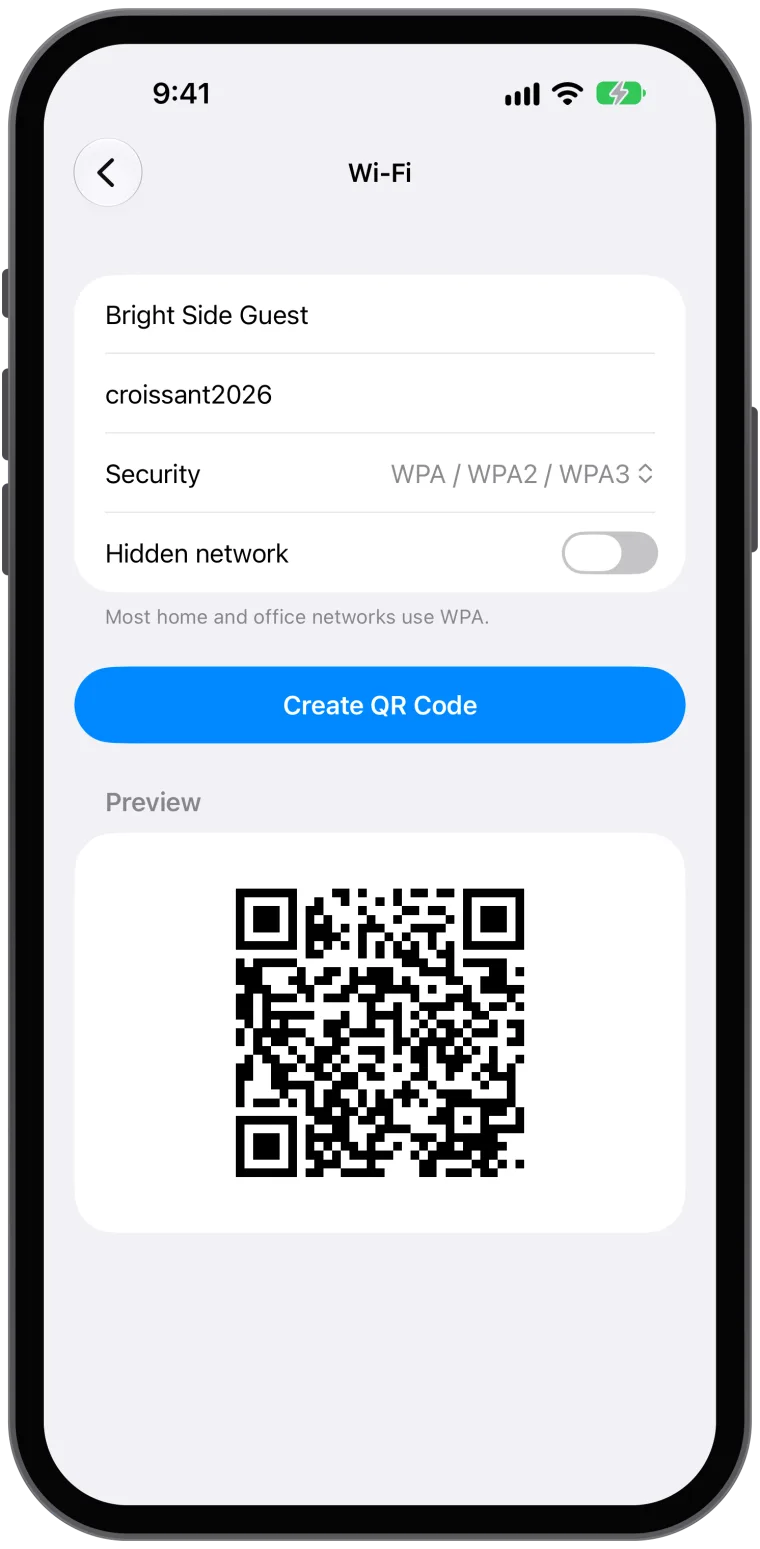
In Setrik QR, you type those three things into the Wi-Fi form, and the code appears as you type. Security is a menu with three choices: WPA / WPA2 / WPA3 fits most home and office routers, WEP (old) is only for very old ones, and None (open) is for a network with no password. A Hidden network switch is there for a network that doesn't show its name in the Wi-Fi list. The help article on making a Wi-Fi QR code for guests has the tap-by-tap steps.
Can anyone see a QR code WiFi password?
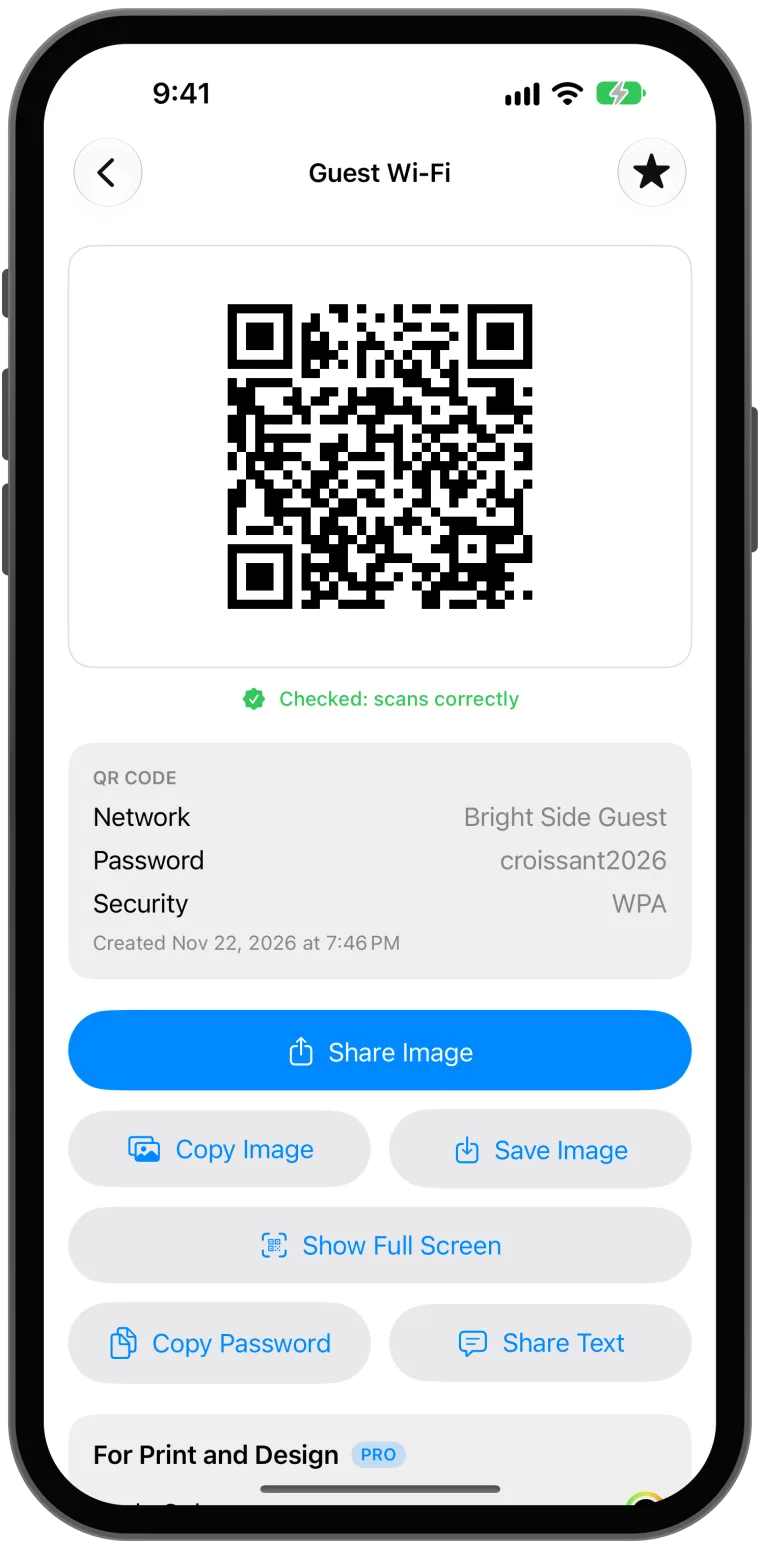
Yes, and it's worth knowing before you print one. The password isn't locked inside the code; it's written into it in plain form, the same way a web address is. Your iPhone camera offers to join the network, but many scanner apps show the details on screen, password included. Setrik QR does exactly that when it scans a Wi-Fi code, with a Copy Password button for anyone who'd rather type it into a laptop. So treat the code like the password written on a card, and share it only where you'd share the password itself.
That's why a guest network is the better choice whenever your router offers one. Many routers can run a second network just for visitors, kept apart from your own computers, printers and cameras. Put that network's details in the code, and the most a curious scanner gets is internet access. For a café or a small shop, it also means you can change the guest password without touching the network your own devices use. Check your router's settings or its maker's instructions for a "guest network" option.
Network, password and security, in one code.
Checked that it scans before you print it.
Where to put a Wi-Fi code for guests
Most people looking up "WiFi password as QR code" have a spot in mind already. Here's a common one: a family with visitors most weekends tapes a small Wi-Fi card inside a kitchen cabinet door, where house guests find it easily but nobody walking past the window can read it. Others keep a card by the guest bed. Picture the made-up Bright Side Bakery with a framed code by the register, set up on its guest network: customers scan it while they wait for coffee, and staff stop reciting the password ten times a morning.
A QR code WiFi password doesn't always need paper. When someone asks at home, open the saved code and tap Show Full Screen, which makes it big and bright on your own iPhone, ready to scan (full-screen codes work in the free version). To print it, the free version lets you copy the code image into a Pages or Word document and add a line like "Scan to join our Wi-Fi", or use the free caption to put those words right under the code. Setrik QR Pro, a one-time purchase, adds print-quality PDF files, printing straight from the app, and frames around the code.
4 tips for a QR code WiFi password that keeps working
Match the name exactly
Type the network name just as it appears in your Wi-Fi list, capitals and spaces included, or phones won't find the network.
Leave security on the default
If you're not sure, keep WPA / WPA2 / WPA3; it's right for most routers today, and WEP is only for very old ones.
Test it on another phone
Setrik QR reads its own code back and shows "Checked: scans correctly", but only a real scan proves the phone joins your network.
Make a new code with a new password
A printed code never changes, so when you change the Wi-Fi password, make a fresh code and swap out the old card.
One limit to know before you set up a QR code WiFi password for a business: it's made for networks that join with one shared password. It doesn't handle networks where each person signs in with their own username and password, as many offices use. If your network shows a sign-in page in the browser after joining, guests will still see that page, because the code only gets them onto the network. For an ordinary home or shop network with one password, it does the whole job.
The bottom line
So, is a QR code WiFi password worth setting up?
For most homes and small shops, yes. It takes a minute to make, guests join in one scan, and nobody spells out a 16-character password again. Just remember what it is: your password in a form a phone can read, visible to anyone who scans it. Put a guest network behind it where you can, place it where you'd be fine showing the password, and make a new code whenever the password changes. Do that, and the card on the cabinet door keeps working for as long as the password does.
Printing something tomorrow?
Make the QR code tonight, and the app reads it back to check it scans before it goes to the printer. Free to download.
See how it works