

Other barcodesSetrik QR Pro
Choose a barcode type
See what each of the 10 barcode types is for and what you can type into it.
If someone asked you for a particular type, use that one. Otherwise, the
table below helps. The rule under each form’s Value field says the
same thing in the app.
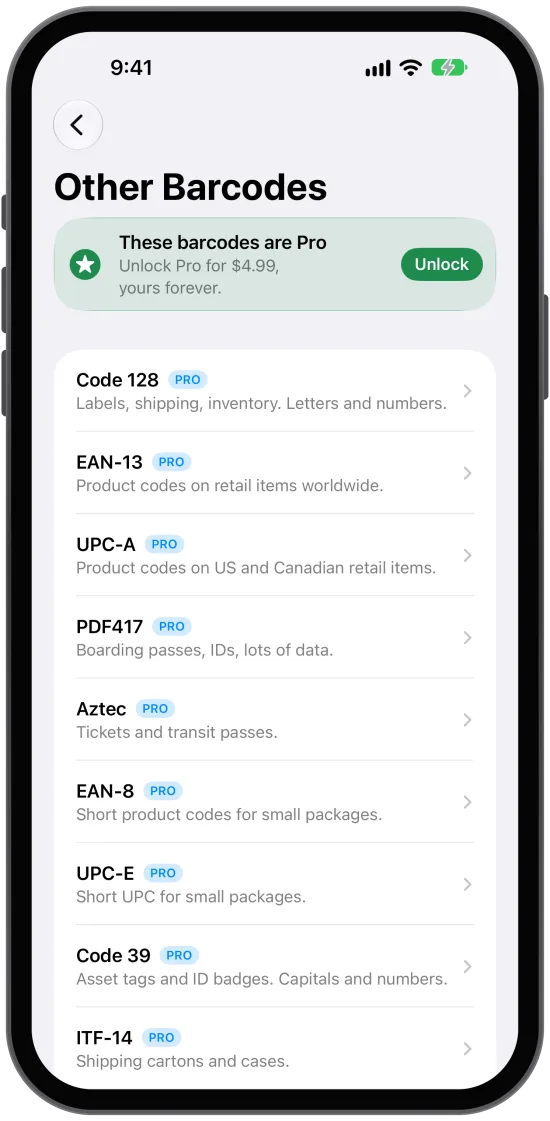
| Type | Good for | What you type | Added for you |
|---|---|---|---|
| Code 128 | Labels, shipping, inventory | Letters, numbers and common symbols, up to 80 | Its own checksum |
| EAN-13 | Retail products worldwide | 12 digits | Check digit |
| UPC-A | Retail products in the US and Canada | 11 digits | Check digit |
| PDF417 | Boarding passes, IDs, lots of data | Any text | Error correction |
| Aztec | Tickets and transit passes | Any text | Error correction |
| EAN-8 | Short product codes for small packages | 7 digits | Check digit |
| UPC-E | Short UPC for small packages | 6 or 7 digits, starting with 0 or 1 | Check digit |
| Code 39 | Asset tags and ID badges | Capital letters, numbers, spaces and – . $ / + %, up to 40 | Lowercase changed to capitals |
| ITF-14 | Shipping cartons and cases | 13 digits | Check digit |
| Codabar | Libraries, blood banks, older systems | Numbers and – $ : / . + | Start and stop letter A, if you leave them off |
Tips
- Not sure and it’s just for your own labels? Code 128 takes the most
characters and scans well. - Lots of text (an order, a ticket)? PDF417 or Aztec. Very long
text makes a very wide PDF417. - Codabar: type your own start and stop letters (A, B, C or D, like
B12B) and they’re kept. - Setrik QR can’t make Data Matrix codes (it can read them).
Related articles
Still stuck? Email contact@setriksoftware.com with your app version (Settings › About) and what you saw. If something went wrong in the app, sending the error log helps too. You can also browse the Help Center or the messages the app can show.