

Print and designSetrik QR Pro
Add a Scan Me frame
Put a border or a banner around a code and its caption, for signs and table cards.
Steps
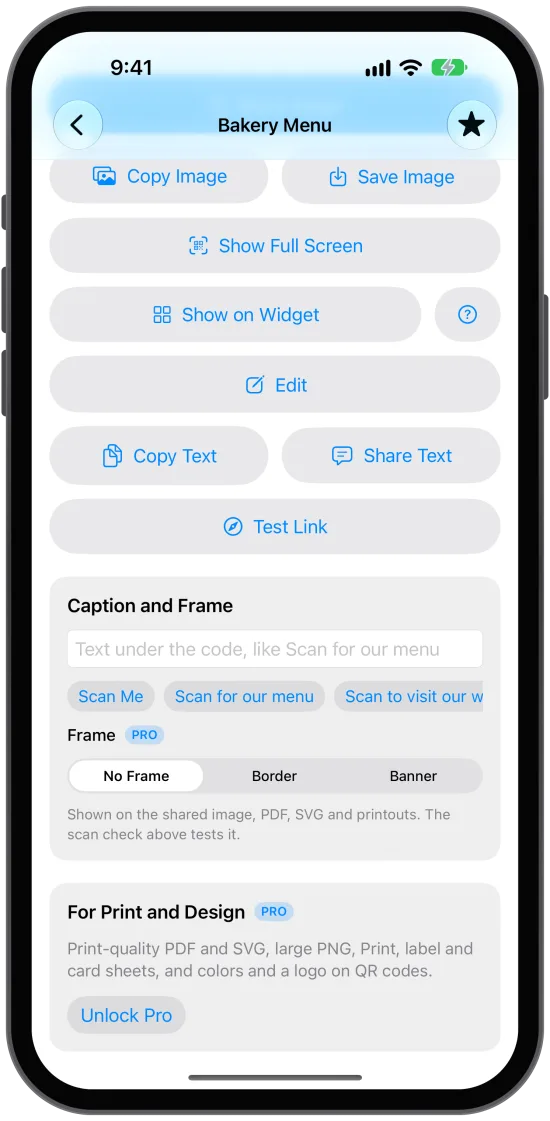
- Open the code and scroll to Caption and Frame.
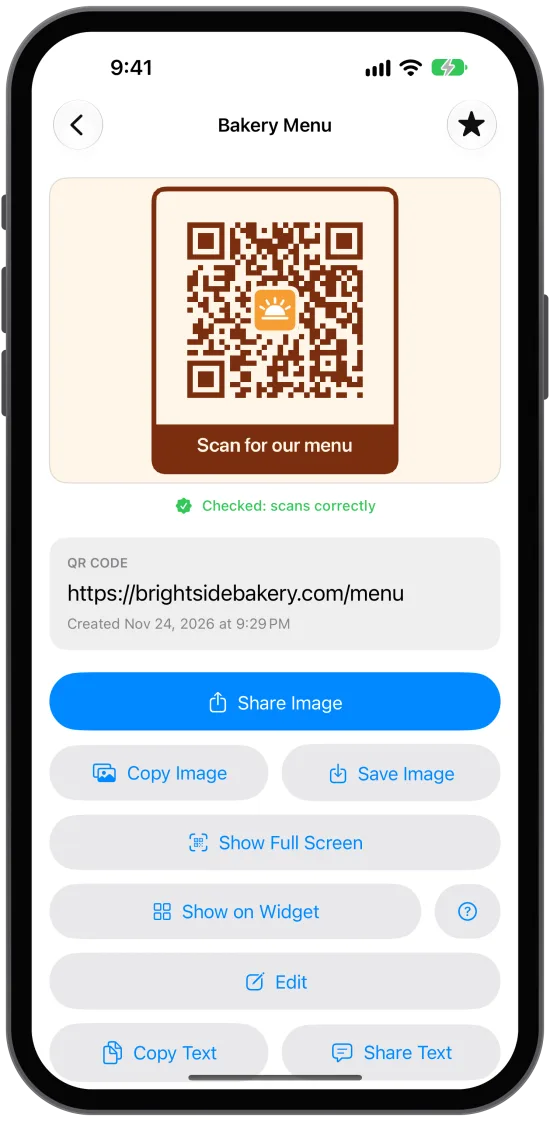
- Under Frame, pick Border (a rounded border around the code
and caption) or Banner (a border with a solid bar at the bottom;
the caption sits in the bar). No Frame takes it off. - Check the scan result above the code.
What you’ll see
The frame in the code’s colors, in every image, PDF, SVG and printout.
With no caption, the Banner reads “SCAN ME”. Works on QR codes and
barcodes. Show Full Screen, the list pictures and the widget show the
code without its frame.
Without Pro
Frame has a PRO badge. Tapping Border or Banner opens the
Pro screen. The caption itself is free.
Related articles
Still stuck? Email contact@setriksoftware.com with your app version (Settings › About) and what you saw. If something went wrong in the app, sending the error log helps too. You can also browse the Help Center or the messages the app can show.