

Contact support
How to reach Setrik Software when you need help.
Email contact@setriksoftware.com. It helps to include:
- Your app version (Settings › About, like “1.0 (6)”, or “1.1 (7)”
). - What you were doing and what you saw (the exact message, if any).
- A screenshot, if you can.
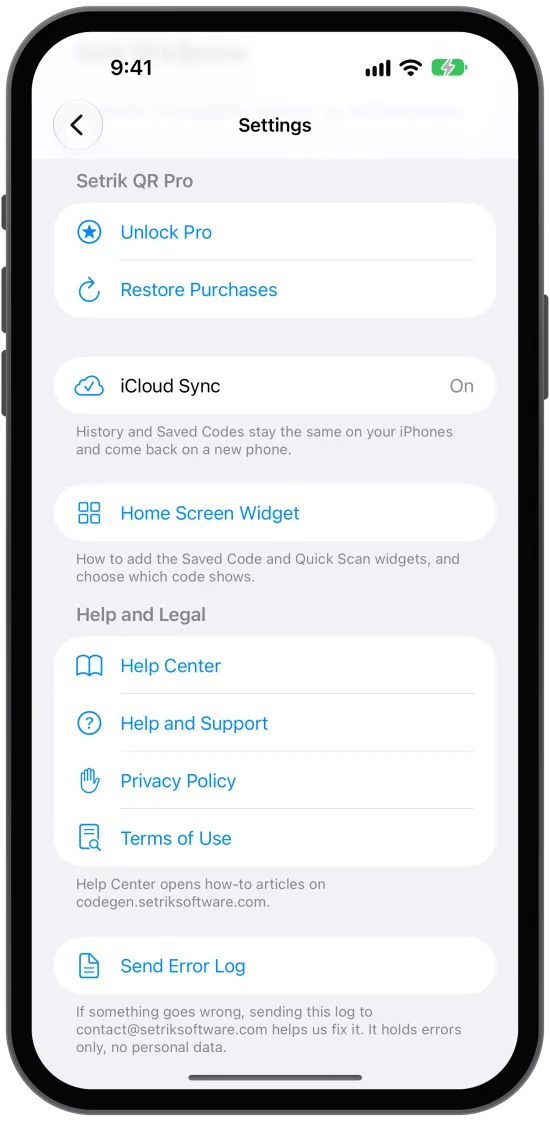
If something went wrong in the app, sending the error log helps too
(how). From version 1.1, Settings › Help and Support opens the support page on the website.
Refunds
Purchases go through Apple, so refunds are requested from Apple at
reportaproblem.apple.com.
Related articles
Still stuck? Email contact@setriksoftware.com with your app version (Settings › About) and what you saw. If something went wrong in the app, sending the error log helps too. You can also browse the Help Center or the messages the app can show.