

Plans and purchasesSetrik QR Pro
Buy Setrik QR Pro
Unlock Pro once with your Apple ID.
Steps
- Tap Unlock on the green Setrik QR Pro card on the start screen
(or tap any Pro feature, or Settings › Unlock Pro). - On the Pro screen, tap Unlock Pro for $4.99 (your local price).
- Confirm with Face ID, Touch ID or your password, as for any App Store
purchase.
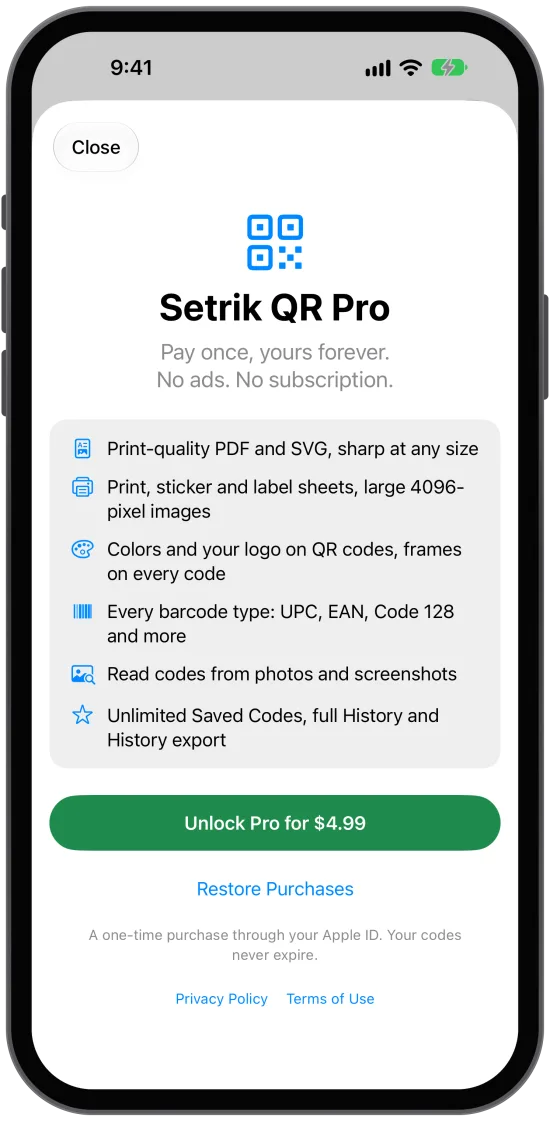
What you’ll see
The Pro screen closes. The green cards and the PRO badges on Scan from
Photo and Other Barcodes disappear (from version 1.1 also the ones on
For Print and Design and Frame), and Settings shows Pro is unlocked.
If something goes wrong
- “Waiting for approval. Pro unlocks as soon as it’s approved.”: the
purchase needs approval (for example Ask to Buy). Pro unlocks by
itself once it’s approved. - “Can’t reach the App Store right now.” with Try Again: check your
internet connection. - “The App Store couldn’t confirm that purchase. Please try again.”: try
again in a moment. Other problems show Apple’s own message. - Already bought it? Tap Restore Purchases instead
(how).
Related articles
Still stuck? Email contact@setriksoftware.com with your app version (Settings › About) and what you saw. If something went wrong in the app, sending the error log helps too. You can also browse the Help Center or the messages the app can show.