

Make a phone QR code
Make a code that offers to call your number when someone scans it.
For “Call to book” signs, vehicle signs and posters.
Steps
- Tap Create, then Phone.
- Type the Phone number. Spaces, dashes and brackets are fine; a
leading + is kept for international numbers.
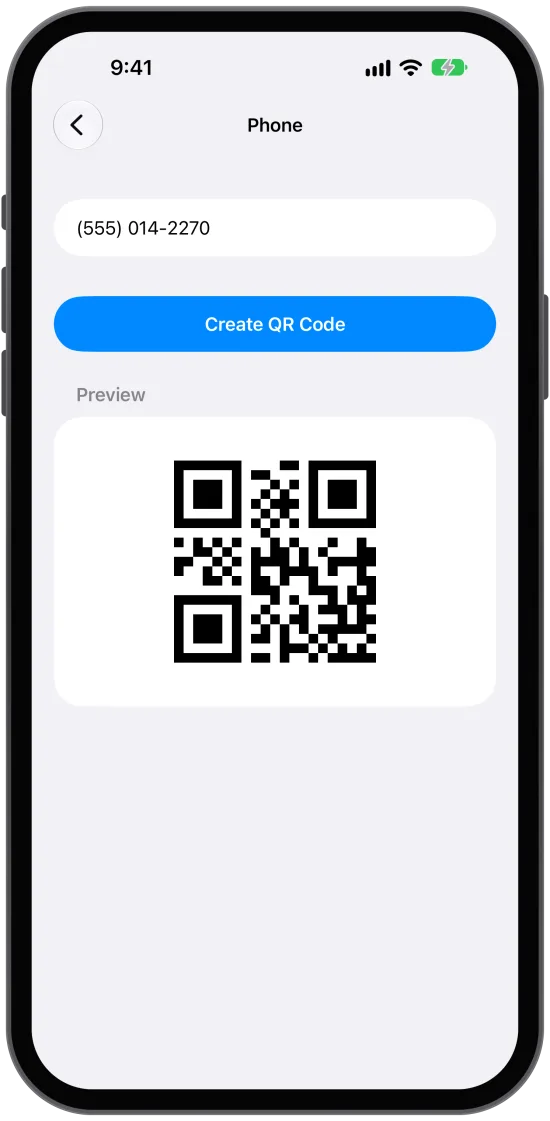
- Tap Create QR Code.
What you’ll see
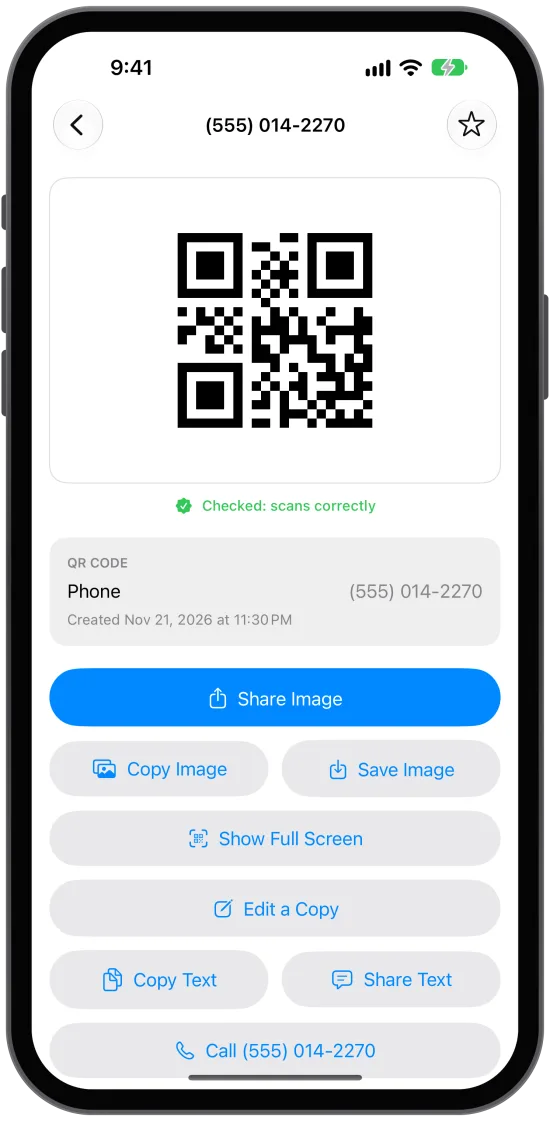
The code with Phone under it and a Call <number> button. The
code’s name is the number as you typed it. The code itself holds only
the digits (and a leading +), so in version 1.0 the Phone line and the
Call button show “5550142270”; from version 1.1 they show the number as
you typed it, “(555) 014-2270” (unless you rename the code).
If something goes wrong
“Enter a phone number.” means there are fewer than 3 digits.
Related articles
Still stuck? Email contact@setriksoftware.com with your app version (Settings › About) and what you saw. If something went wrong in the app, sending the error log helps too. You can also browse the Help Center or the messages the app can show.